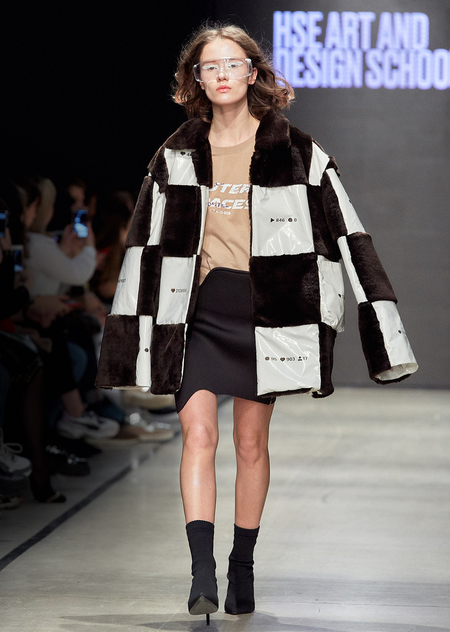
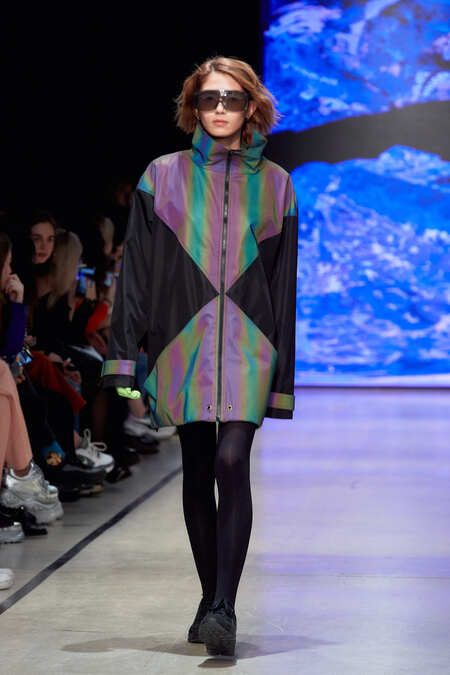
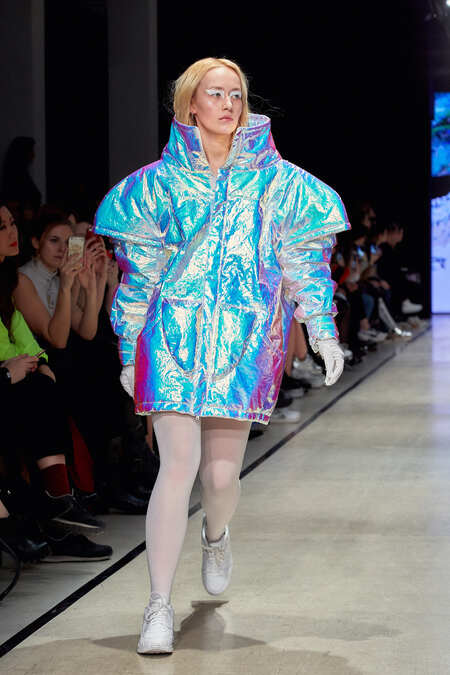
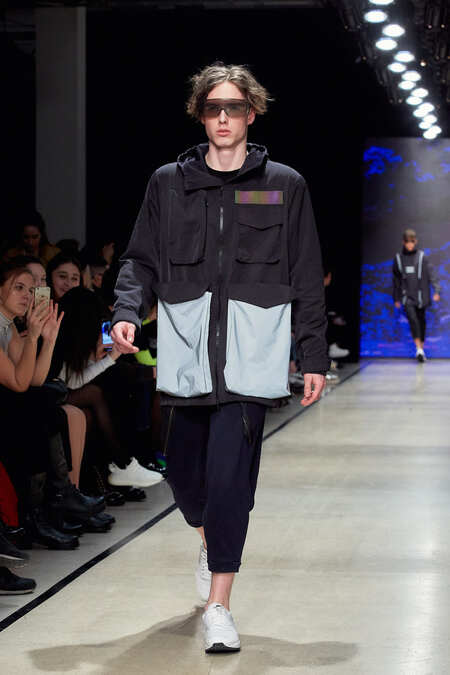
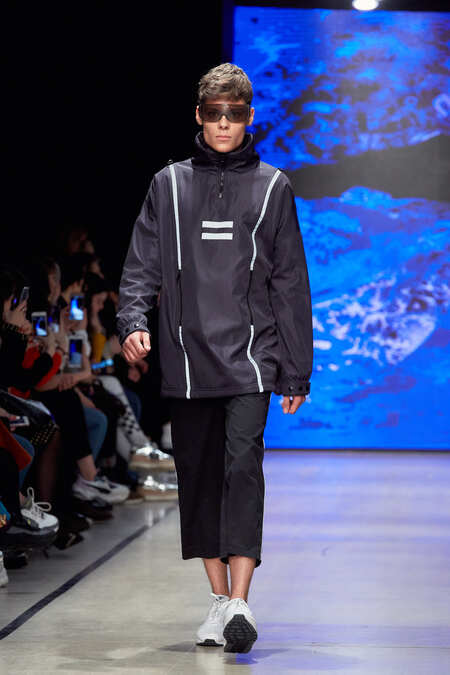
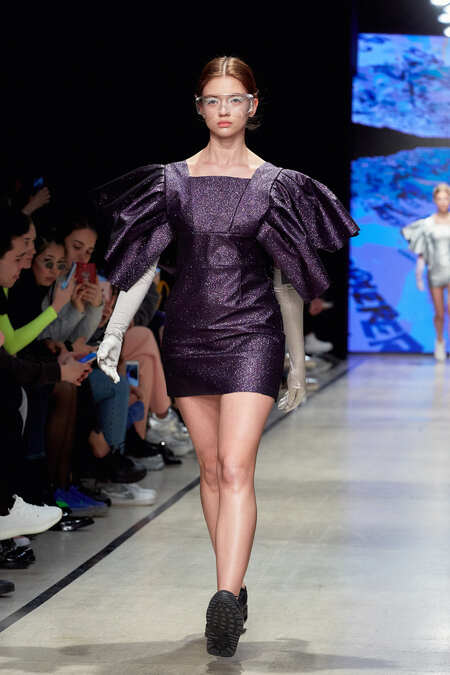
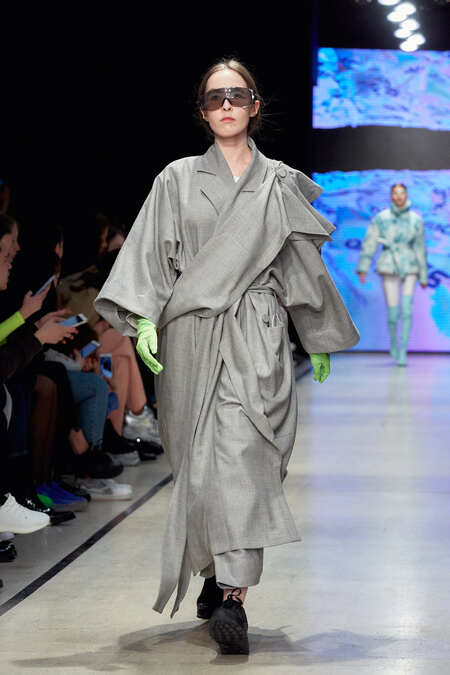
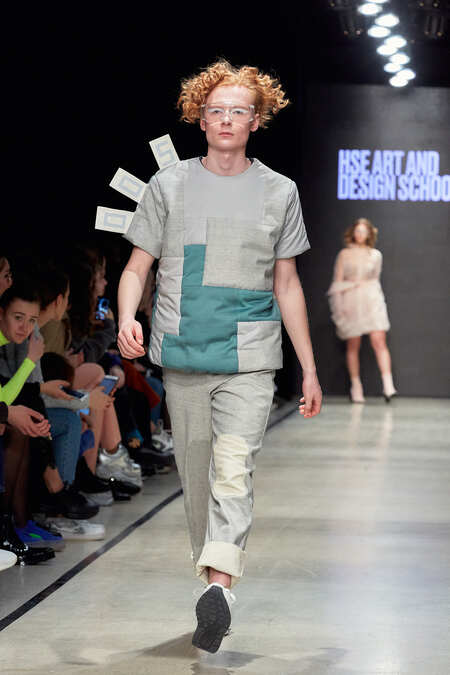
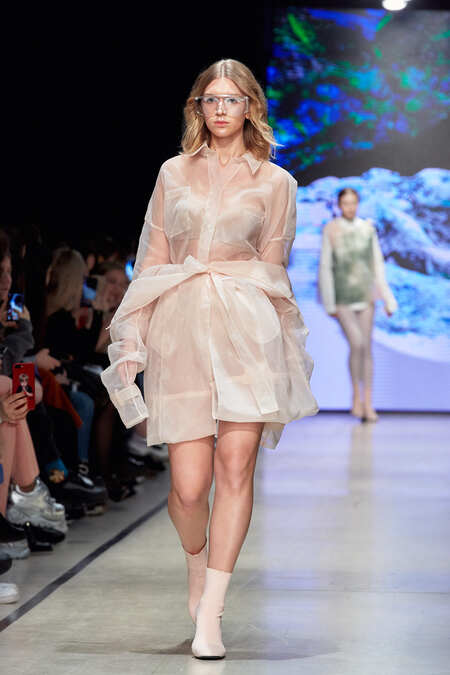
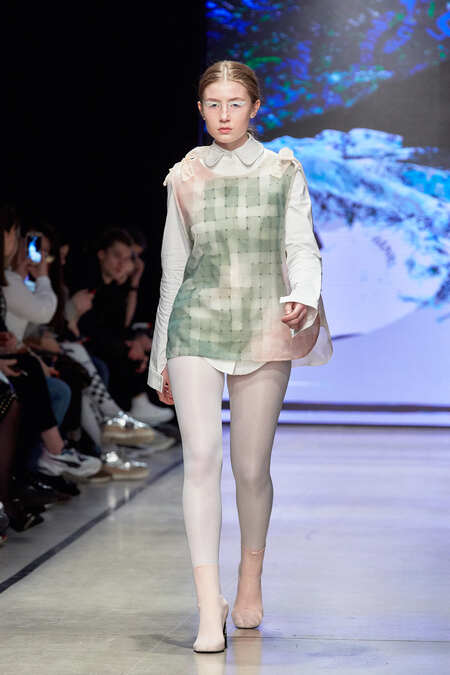
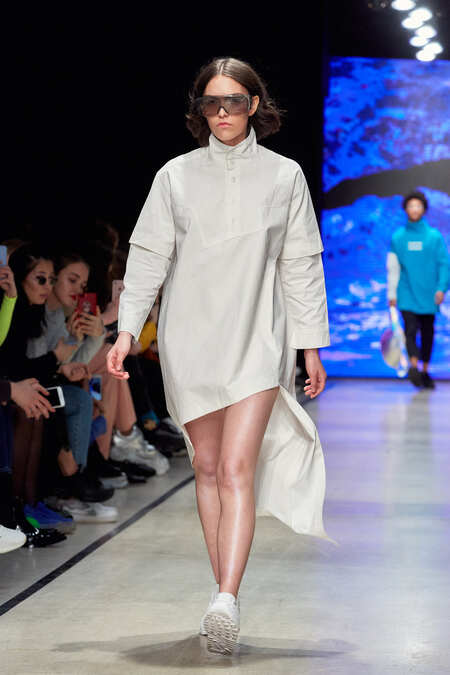
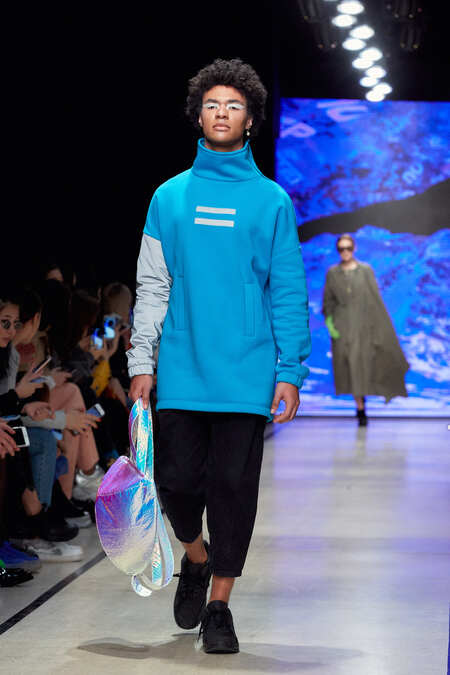
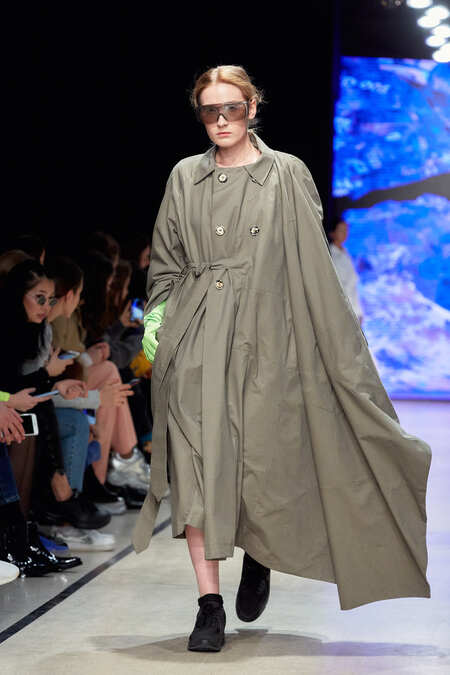
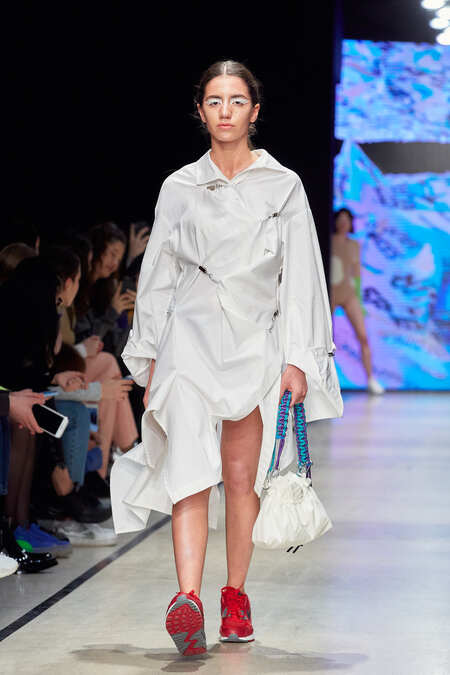
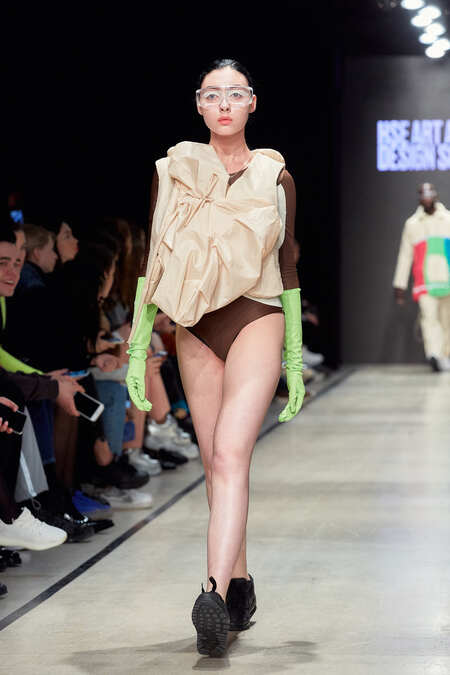
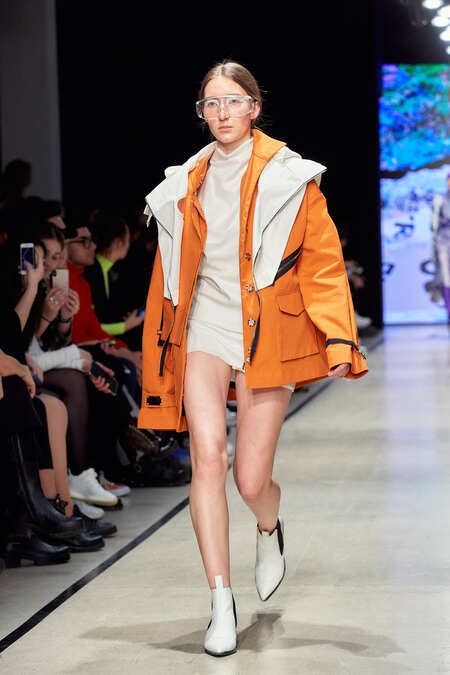
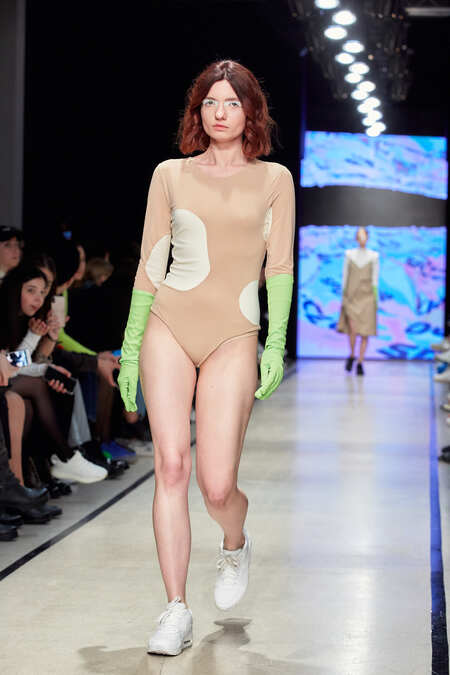
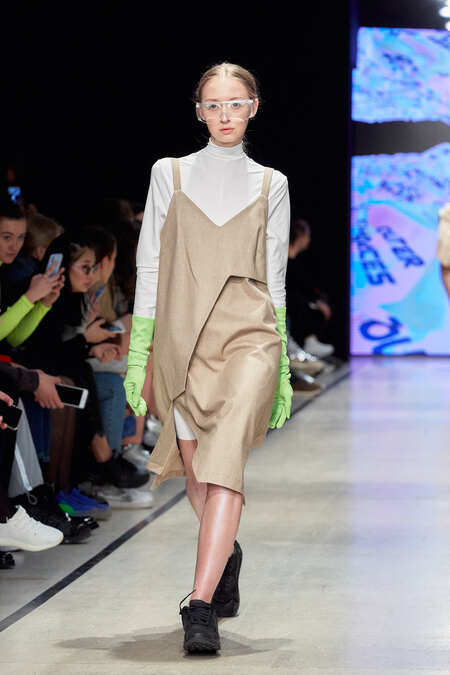
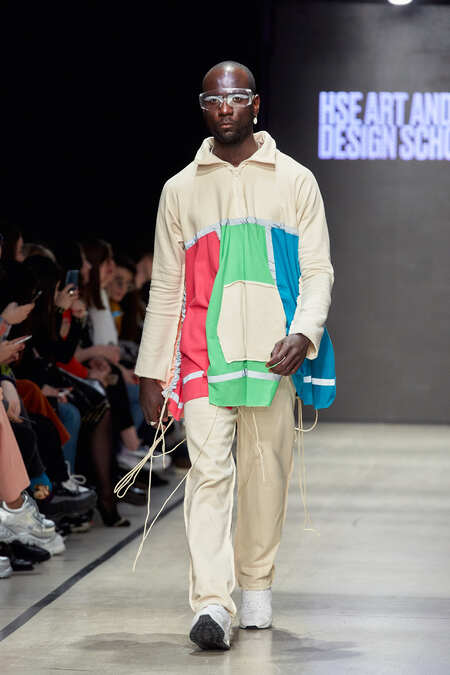
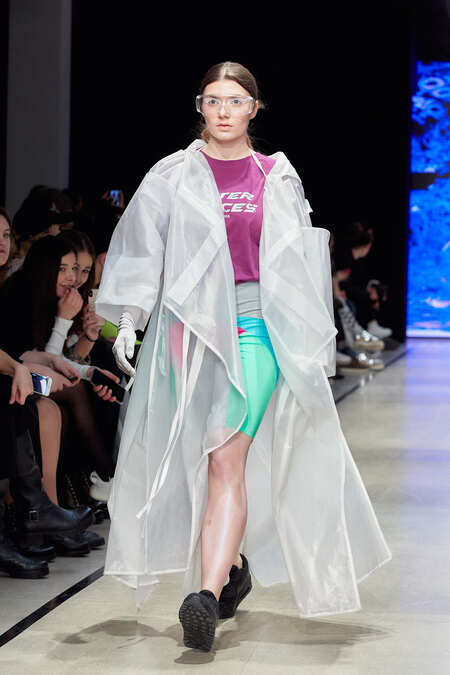
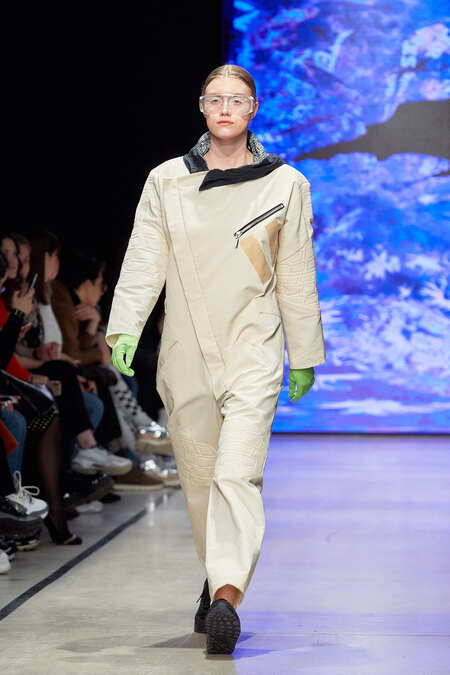
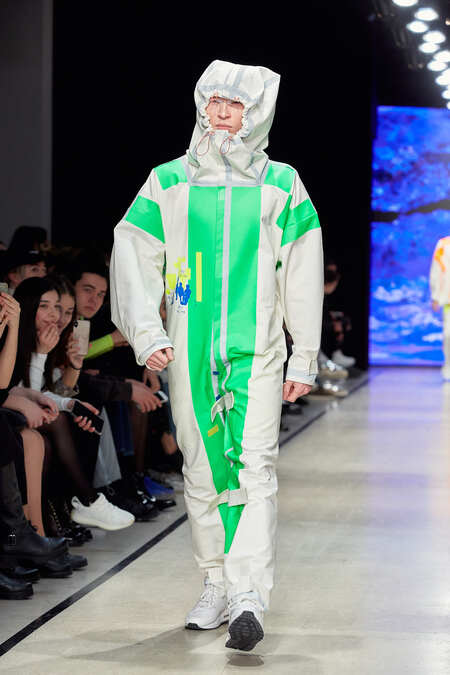
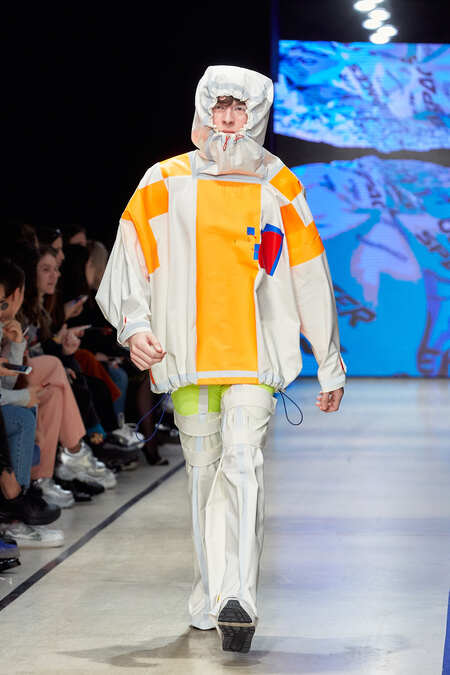
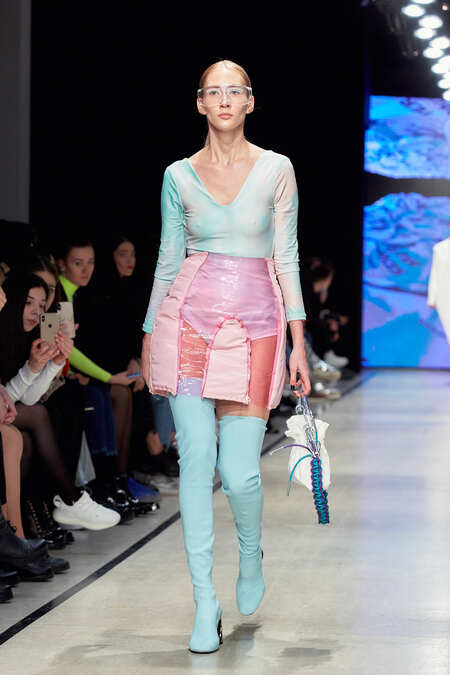
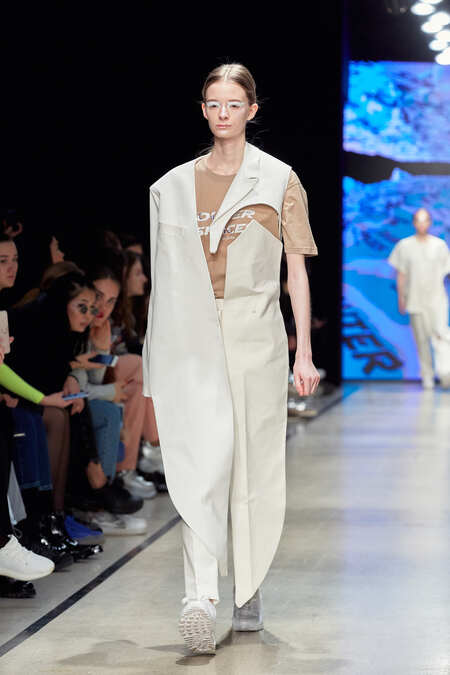
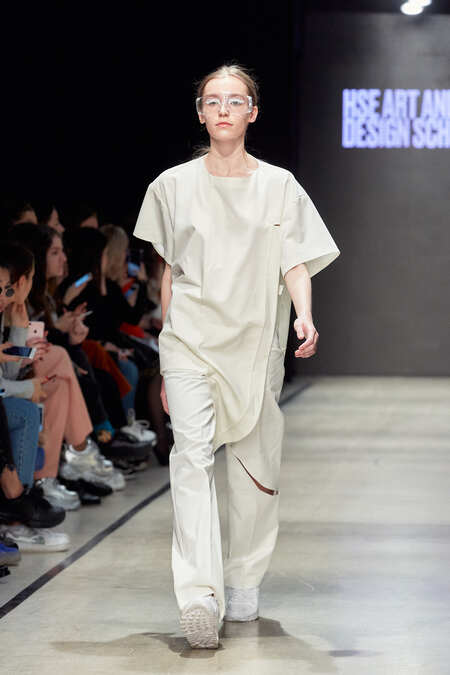
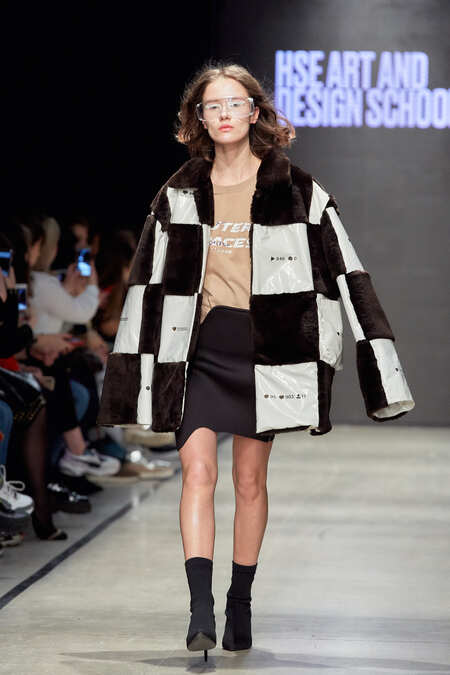
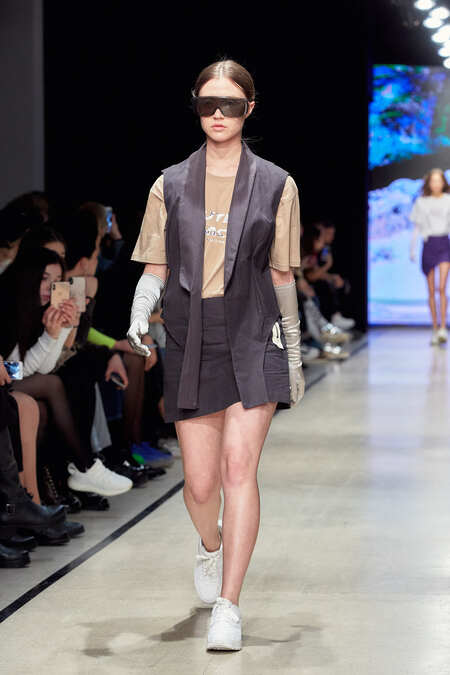
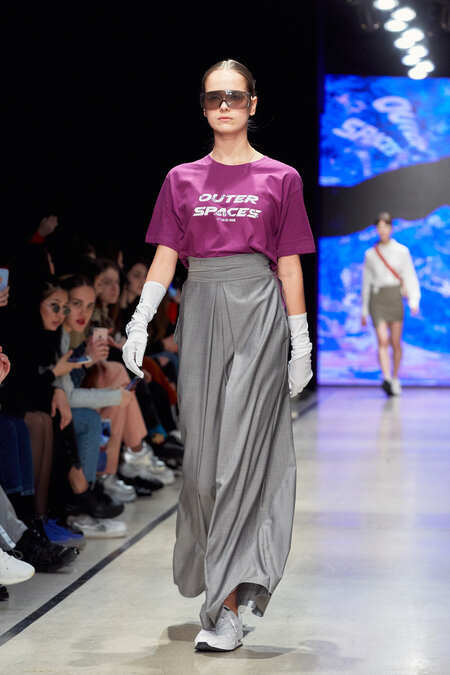
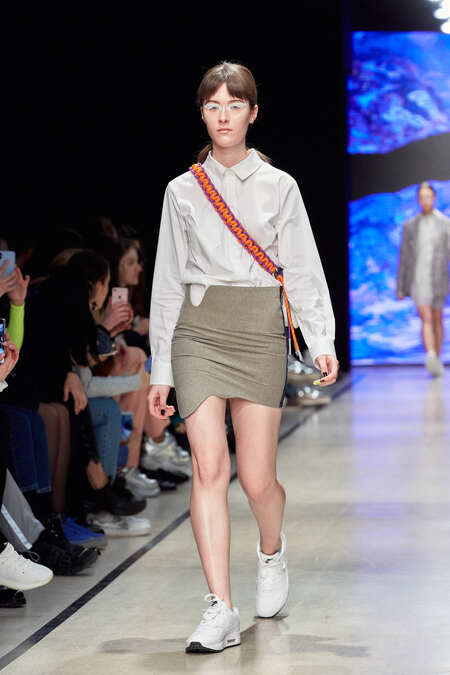
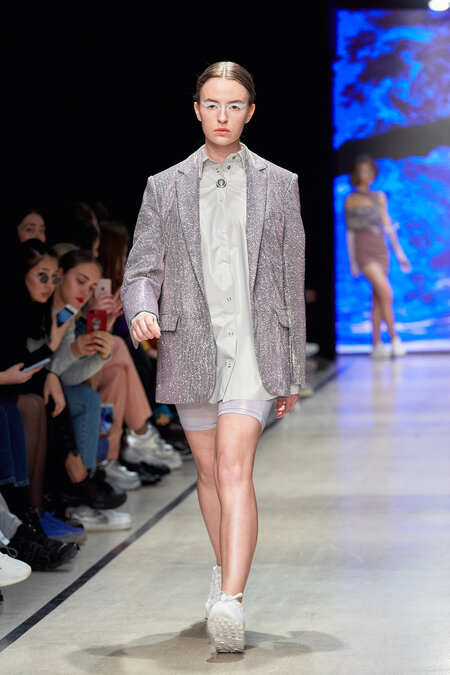
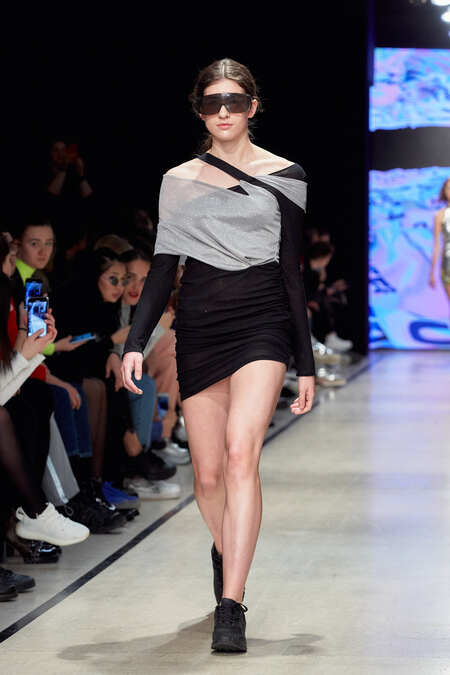
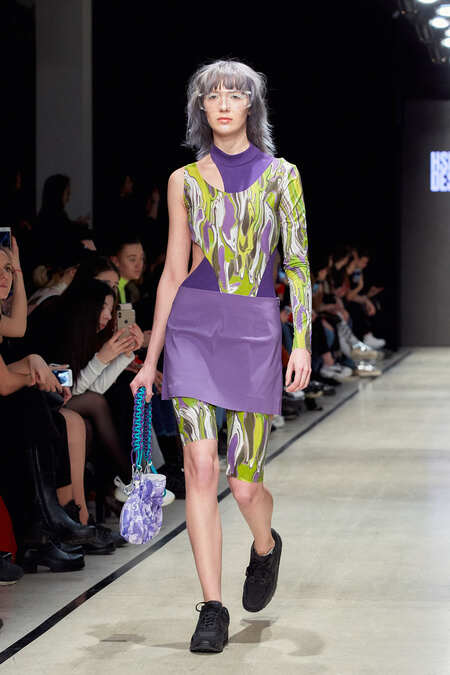
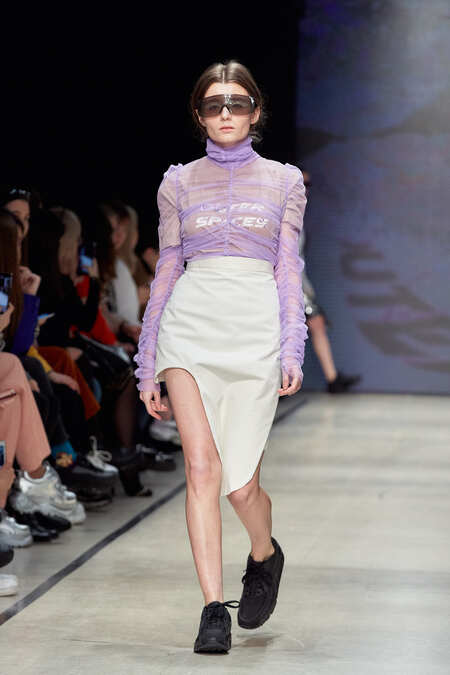
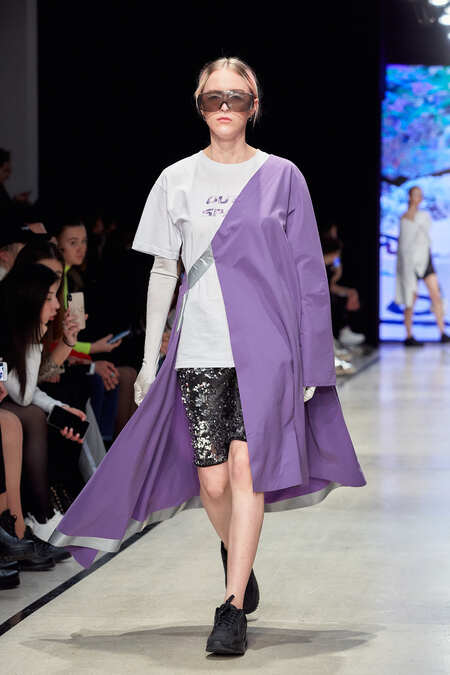
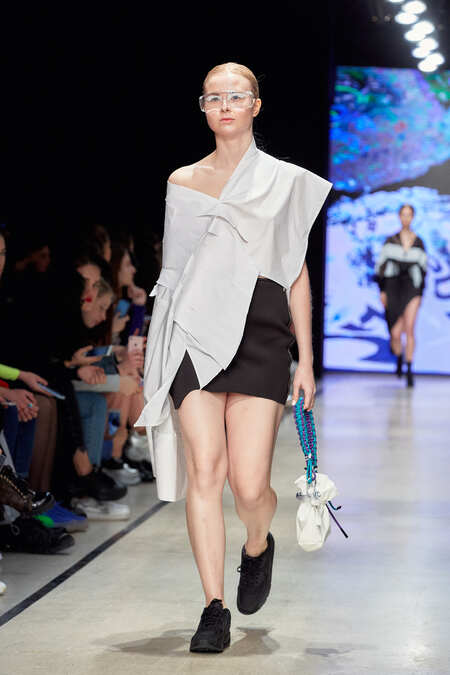
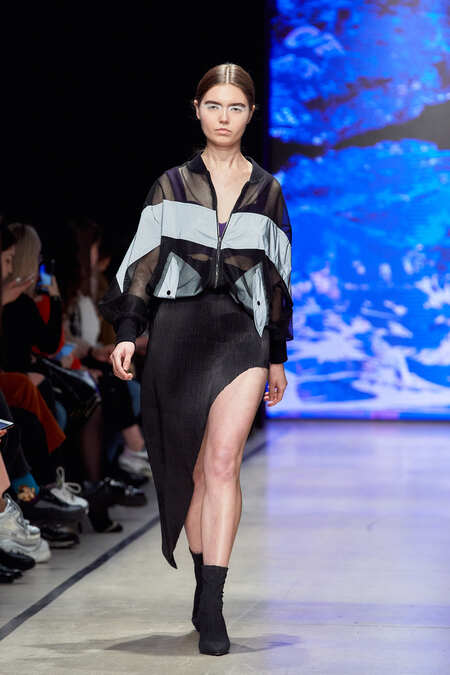
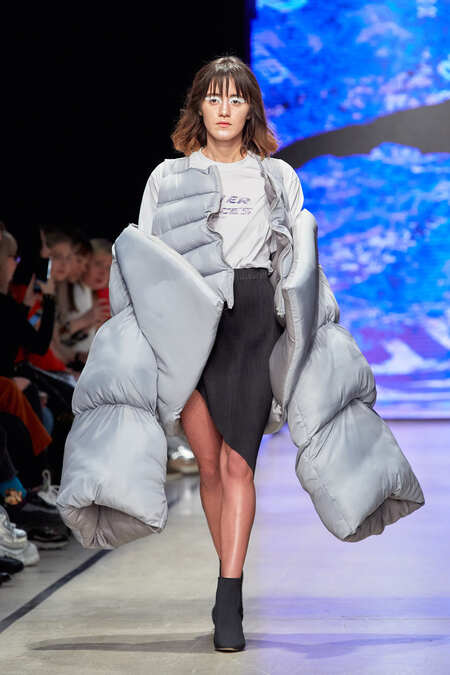
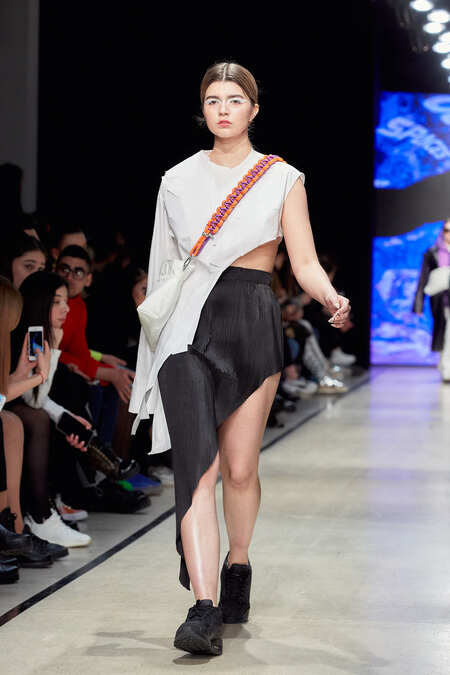
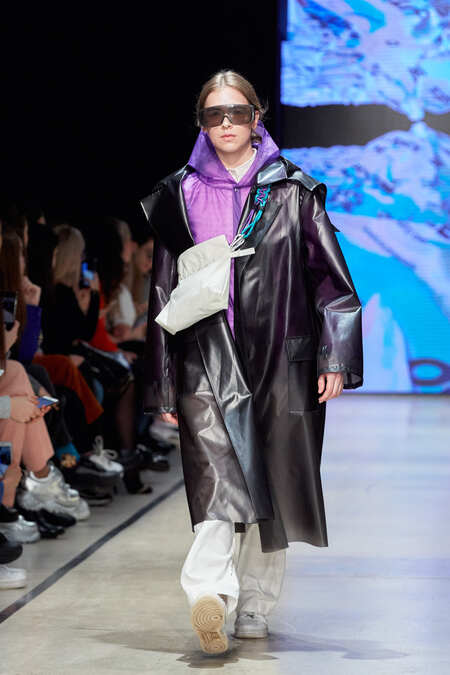
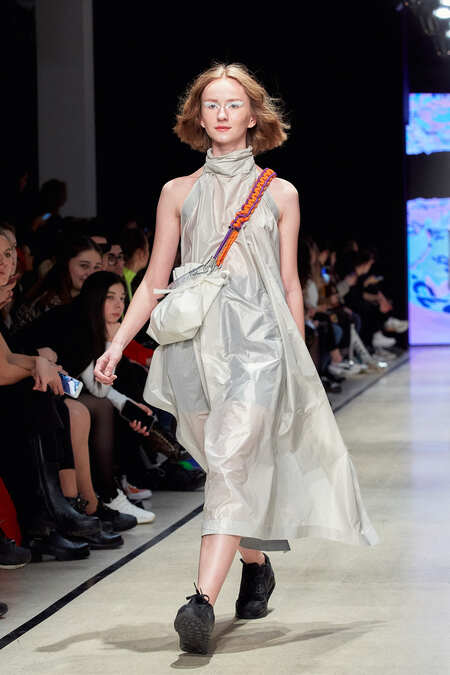
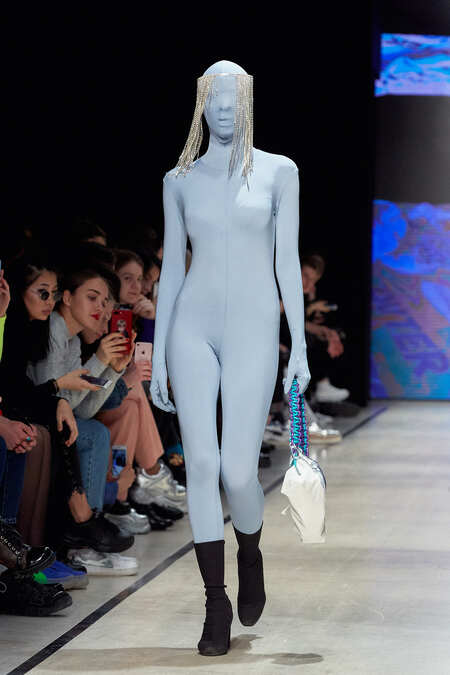
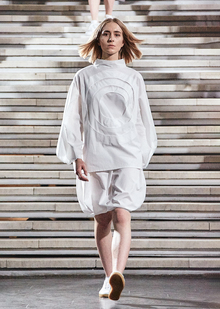
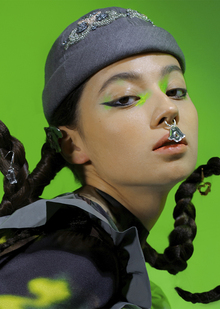
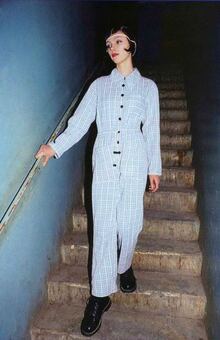
Школа дизайна НИУ ВШЭ — постоянный участник Mercedes-Benz Fashion Week Russia, выступающая на неделе моды под коллективным брендом HARD. Это уникальная традиция Школы дизайна НИУ ВШЭ: студенты, еще на втором или третьем году обучения показывают свои работы на профессиональной неделе моды наравне с известными и существующими много лет марками. HARD работает как творческая лаборатория, которая каждый год формируется заново для создания новой коллекции.
Весной 2019-го года на Mercedes-Benz Fashion Week представлена уже шестая совместная коллекция студентов HARD 006: Outer Spaces. Иные измерения, путешествие в глубины космоса и сознания, новые формы и расширенная реальность, мир, каким его видит человек, упавшего на Землю: коллекция HARD 005 — это футуристические мотивы глазами двадцатилетних, стиль как поиск и полет воображения.
HARD 006: Outer Spaces. Показ Mercedes-Benz Fashion Week Russia 03.04.2019
HSE Fashion представила коллекцию HARD 006: Outer Spaces на Mercedes-Benz Fashion Week Russia 3 апреля 2019 года. Проект включает в себя коллекцию, вдохновлённую космосом и расширенной реальностью, созданную студентами Школы дизайна НИУ ВШЭ.
HSE Fashion организовал показ студенческих работ в Третьяковской галерее 18 мая 2019 года. Показ включал более 120 вещей, созданных студентами Школы дизайна НИУ ВШЭ, и сопровождался видеоинсталляцией агентства «Сила света».
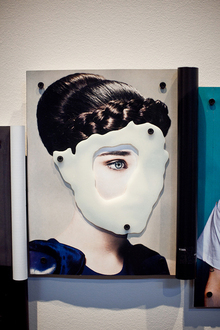
Hse Fashion Archive подготовил подборку выставок с участием российских дизайнеров, которые предлагают нестандартный подход к презентации моды через арт и исследования. Особенностью проекта является акцент на ретроспективных и экспериментальных форматах, таких как выставка «Dysfashional», где вместо традиционных показов использовались художественные инсталляции.
Айсылу Галиева исследует, как татарская идентичность проявляется в современной моде через традиционные элементы костюма и их трансформацию. Проект включает анализ коллабораций с брендами, такими как Your Yool, и цифровых проектов, вдохновлённых татарской мифологией и орнаментикой.
Проект «Архив российской моды» изучил материалы «Коммерсанта» 1990-х годов и выделил ключевые тенденции и события светской жизни того времени. Особенностью проекта является анализ рубрик «La vie de jour» и «La vie de nuit», которые отражали модные и культурные явления эпохи с акцентом на неформальные и авангардные мероприятия.
cgrave
Portfolio CG Rave — это открытая площадка для авторских портфолио 3D художников. Размещайте свои работы, чтобы их заметили в сообществе CG, ваши будущие коллеги и потенциальные заказчики.
Press space bar to start a drag.
When dragging you can use the arrow keys to move the item around and escape to cancel.
Some screen readers may require you to be in focus mode or to use your pass through key
Press space bar to start a drag.
When dragging you can use the arrow keys to move the item around and escape to cancel.
Some screen readers may require you to be in focus mode or to use your pass through key
Press space bar to start a drag.
When dragging you can use the arrow keys to move the item around and escape to cancel.
Some screen readers may require you to be in focus mode or to use your pass through key
Press space bar to start a drag.
When dragging you can use the arrow keys to move the item around and escape to cancel.
Some screen readers may require you to be in focus mode or to use your pass through key
Press space bar to start a drag.
When dragging you can use the arrow keys to move the item around and escape to cancel.
Some screen readers may require you to be in focus mode or to use your pass through key
Press space bar to start a drag.
When dragging you can use the arrow keys to move the item around and escape to cancel.
Some screen readers may require you to be in focus mode or to use your pass through key
Press space bar to start a drag.
When dragging you can use the arrow keys to move the item around and escape to cancel.
Some screen readers may require you to be in focus mode or to use your pass through key
Press space bar to start a drag.
When dragging you can use the arrow keys to move the item around and escape to cancel.
Some screen readers may require you to be in focus mode or to use your pass through key
Press space bar to start a drag.
When dragging you can use the arrow keys to move the item around and escape to cancel.
Some screen readers may require you to be in focus mode or to use your pass through key
Press space bar to start a drag.
When dragging you can use the arrow keys to move the item around and escape to cancel.
Some screen readers may require you to be in focus mode or to use your pass through key
Press space bar to start a drag.
When dragging you can use the arrow keys to move the item around and escape to cancel.
Some screen readers may require you to be in focus mode or to use your pass through key
Press space bar to start a drag.
When dragging you can use the arrow keys to move the item around and escape to cancel.
Some screen readers may require you to be in focus mode or to use your pass through key
Press space bar to start a drag.
When dragging you can use the arrow keys to move the item around and escape to cancel.
Some screen readers may require you to be in focus mode or to use your pass through key
Press space bar to start a drag.
When dragging you can use the arrow keys to move the item around and escape to cancel.
Some screen readers may require you to be in focus mode or to use your pass through key
Press space bar to start a drag.
When dragging you can use the arrow keys to move the item around and escape to cancel.
Some screen readers may require you to be in focus mode or to use your pass through key
Press space bar to start a drag.
When dragging you can use the arrow keys to move the item around and escape to cancel.
Some screen readers may require you to be in focus mode or to use your pass through key
Press space bar to start a drag.
When dragging you can use the arrow keys to move the item around and escape to cancel.
Some screen readers may require you to be in focus mode or to use your pass through key
Press space bar to start a drag.
When dragging you can use the arrow keys to move the item around and escape to cancel.
Some screen readers may require you to be in focus mode or to use your pass through key
Press space bar to start a drag.
When dragging you can use the arrow keys to move the item around and escape to cancel.
Some screen readers may require you to be in focus mode or to use your pass through key
Press space bar to start a drag.
When dragging you can use the arrow keys to move the item around and escape to cancel.
Some screen readers may require you to be in focus mode or to use your pass through key
Press space bar to start a drag.
When dragging you can use the arrow keys to move the item around and escape to cancel.
Some screen readers may require you to be in focus mode or to use your pass through key
Press space bar to start a drag.
When dragging you can use the arrow keys to move the item around and escape to cancel.
Some screen readers may require you to be in focus mode or to use your pass through key
Press space bar to start a drag.
When dragging you can use the arrow keys to move the item around and escape to cancel.
Some screen readers may require you to be in focus mode or to use your pass through key
Press space bar to start a drag.
When dragging you can use the arrow keys to move the item around and escape to cancel.
Some screen readers may require you to be in focus mode or to use your pass through key
Press space bar to start a drag.
When dragging you can use the arrow keys to move the item around and escape to cancel.
Some screen readers may require you to be in focus mode or to use your pass through key
Press space bar to start a drag.
When dragging you can use the arrow keys to move the item around and escape to cancel.
Some screen readers may require you to be in focus mode or to use your pass through key