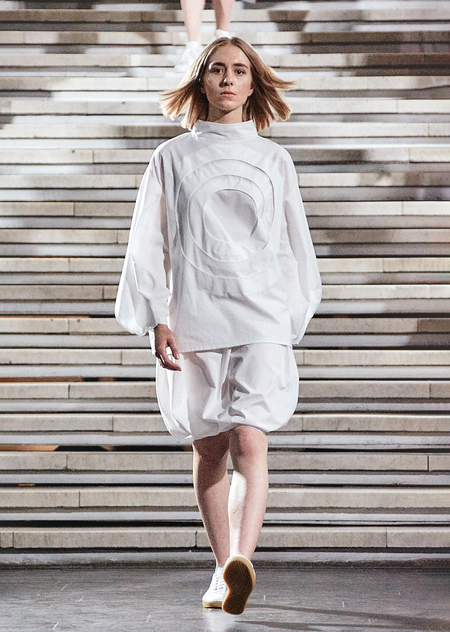
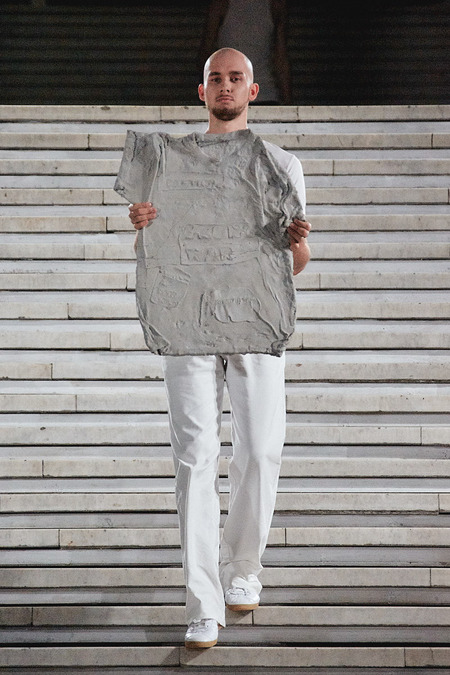
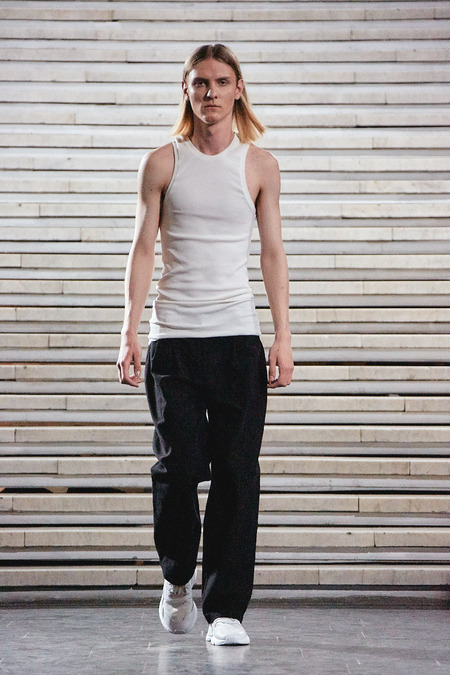
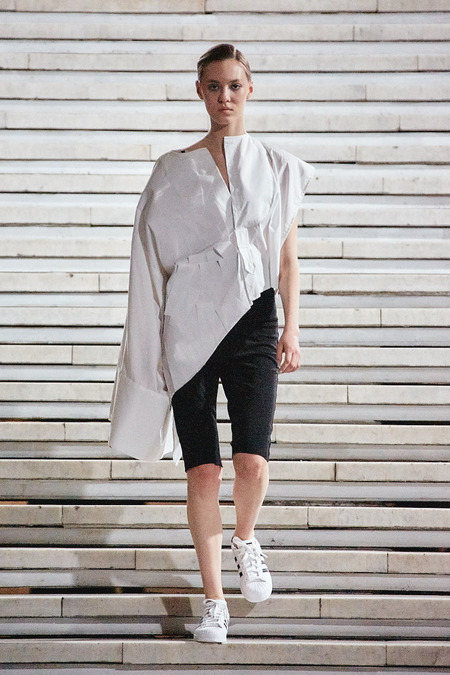
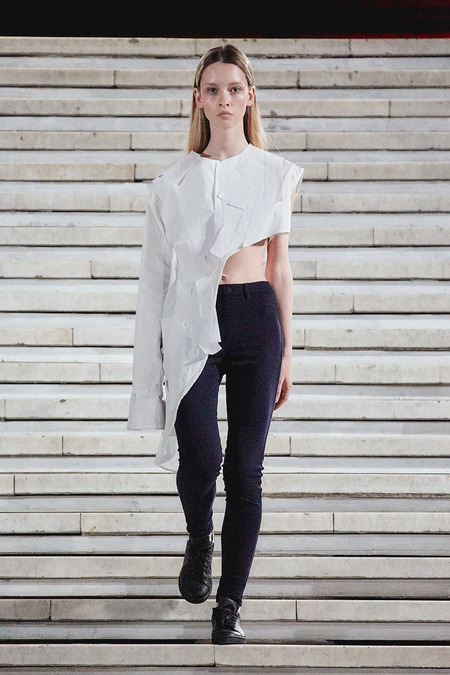
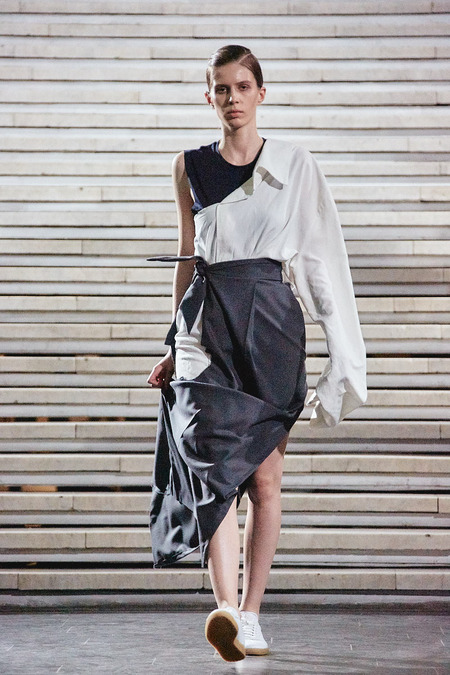
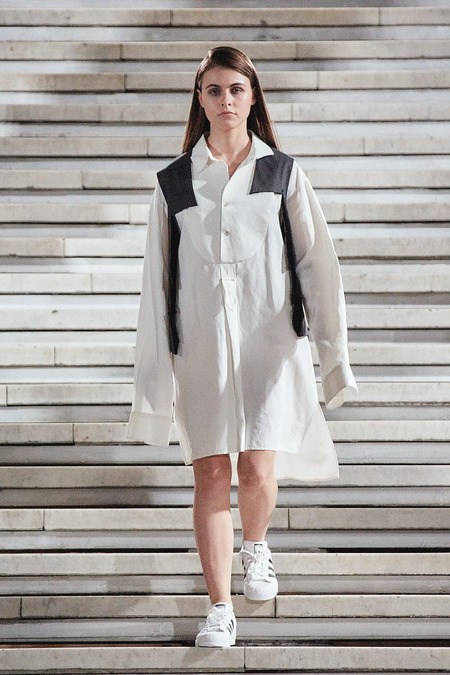
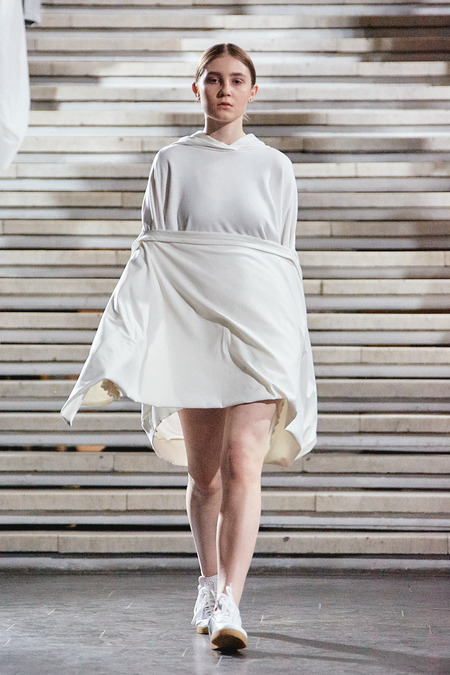
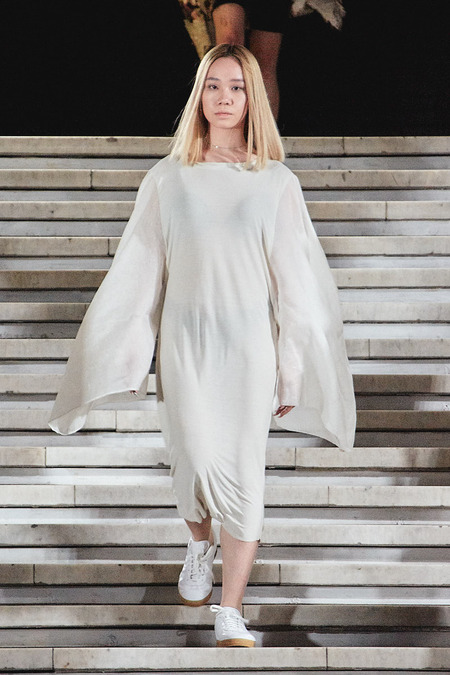
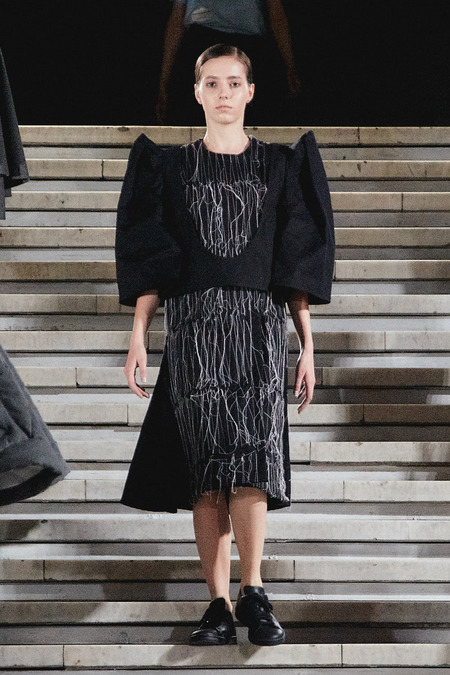
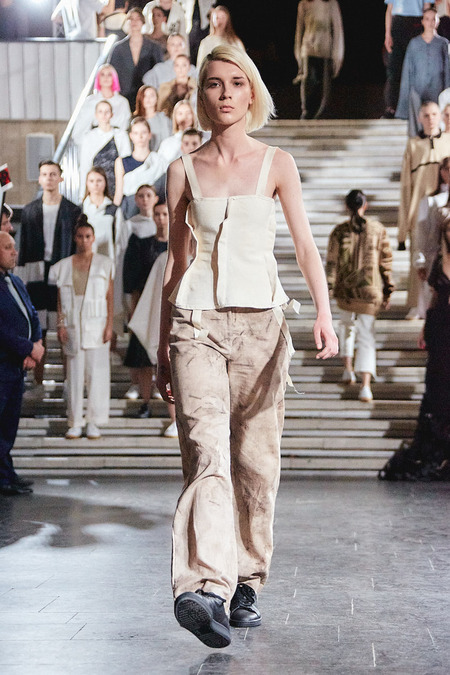
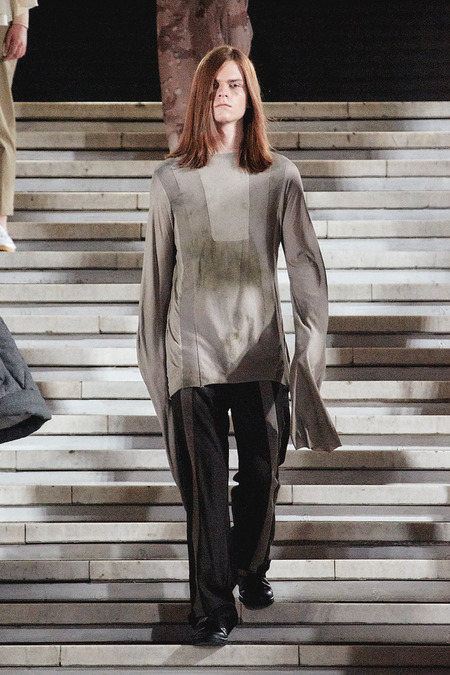
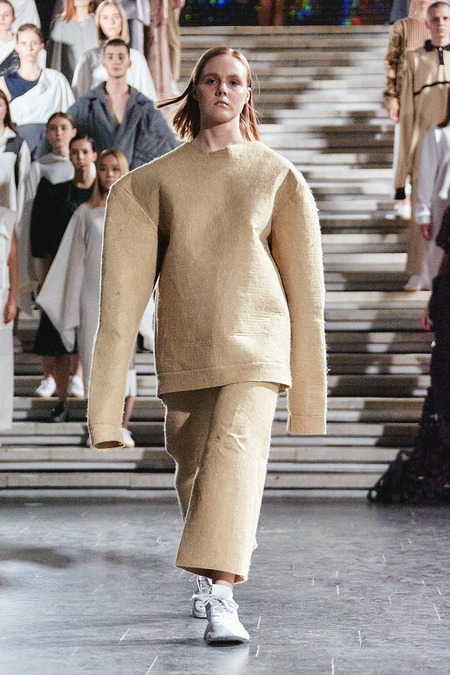
В мае 2019 года программа «Мода» Школы дизайна НИУ ВШЭ по приглашению Третьяковской галереи организовала показ в рамках акции «Ночь в музее». Студенты и кураторы направления «Мода» провели масштабный показ лучших студенческих работ.
В показе приняли участие больше ста моделей и около 120 вещей, созданных молодыми дизайнерами — студентами Школы дизайна. Показ прошел в сопровождении видеоинсталляции креативного агентства «Сила света».
«Ночь в музее». Показ в Третьяковской галерее. 18.05.2019
HSE Fashion организовал показ студенческих работ в Третьяковской галерее 18 мая 2019 года. Показ включал более 120 вещей, созданных студентами Школы дизайна НИУ ВШЭ, и сопровождался видеоинсталляцией агентства «Сила света».
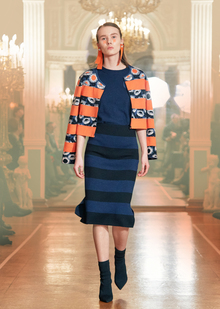
Студенты Школы дизайна НИУ ВШЭ провели показ скандинавских дизайнеров в посольстве Норвегии 15 апреля 2019 года. Показ прошёл в рамках конференции «Мода северных стран: между локальным и глобальным».
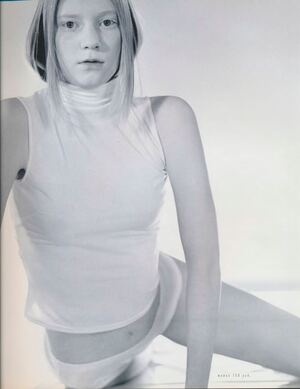
Hse Fashion Archive изучил материалы журнала «Птюч» о моде начала 2000-х и описал эволюцию российской модной сцены. Проект включает интервью с дизайнерами, критику индустрии и отчёт о событиях, таких как фестивали и недели моды в Москве и Тбилиси.
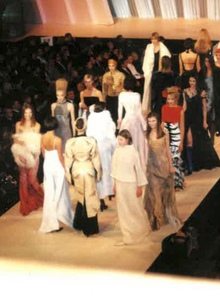
Интервью с Викторией Андреяновой рассказывает о её карьере в моде с начала 1990-х, от работы в Центре моды России до создания собственного бренда. Проект включает в себя архивные материалы, фотографии и тексты, отражающие развитие российской моды и личный путь дизайнера.
Интервью с Анзором Канкуловым рассказывает о его карьере в российском медиа и моде с 1990-х годов. Проект включает детали о ранних номерах журнала «ОМ» и эволюции медиа-рынка в России.
cgrave
Portfolio CG Rave — это открытая площадка для авторских портфолио 3D художников. Размещайте свои работы, чтобы их заметили в сообществе CG, ваши будущие коллеги и потенциальные заказчики.
Press space bar to start a drag.
When dragging you can use the arrow keys to move the item around and escape to cancel.
Some screen readers may require you to be in focus mode or to use your pass through key
Press space bar to start a drag.
When dragging you can use the arrow keys to move the item around and escape to cancel.
Some screen readers may require you to be in focus mode or to use your pass through key
Press space bar to start a drag.
When dragging you can use the arrow keys to move the item around and escape to cancel.
Some screen readers may require you to be in focus mode or to use your pass through key
Press space bar to start a drag.
When dragging you can use the arrow keys to move the item around and escape to cancel.
Some screen readers may require you to be in focus mode or to use your pass through key
Press space bar to start a drag.
When dragging you can use the arrow keys to move the item around and escape to cancel.
Some screen readers may require you to be in focus mode or to use your pass through key
Press space bar to start a drag.
When dragging you can use the arrow keys to move the item around and escape to cancel.
Some screen readers may require you to be in focus mode or to use your pass through key
Press space bar to start a drag.
When dragging you can use the arrow keys to move the item around and escape to cancel.
Some screen readers may require you to be in focus mode or to use your pass through key
Press space bar to start a drag.
When dragging you can use the arrow keys to move the item around and escape to cancel.
Some screen readers may require you to be in focus mode or to use your pass through key
Press space bar to start a drag.
When dragging you can use the arrow keys to move the item around and escape to cancel.
Some screen readers may require you to be in focus mode or to use your pass through key
Press space bar to start a drag.
When dragging you can use the arrow keys to move the item around and escape to cancel.
Some screen readers may require you to be in focus mode or to use your pass through key
Press space bar to start a drag.
When dragging you can use the arrow keys to move the item around and escape to cancel.
Some screen readers may require you to be in focus mode or to use your pass through key
Press space bar to start a drag.
When dragging you can use the arrow keys to move the item around and escape to cancel.
Some screen readers may require you to be in focus mode or to use your pass through key
Press space bar to start a drag.
When dragging you can use the arrow keys to move the item around and escape to cancel.
Some screen readers may require you to be in focus mode or to use your pass through key
Press space bar to start a drag.
When dragging you can use the arrow keys to move the item around and escape to cancel.
Some screen readers may require you to be in focus mode or to use your pass through key
Press space bar to start a drag.
When dragging you can use the arrow keys to move the item around and escape to cancel.
Some screen readers may require you to be in focus mode or to use your pass through key
Press space bar to start a drag.
When dragging you can use the arrow keys to move the item around and escape to cancel.
Some screen readers may require you to be in focus mode or to use your pass through key
Press space bar to start a drag.
When dragging you can use the arrow keys to move the item around and escape to cancel.
Some screen readers may require you to be in focus mode or to use your pass through key
Press space bar to start a drag.
When dragging you can use the arrow keys to move the item around and escape to cancel.
Some screen readers may require you to be in focus mode or to use your pass through key
Press space bar to start a drag.
When dragging you can use the arrow keys to move the item around and escape to cancel.
Some screen readers may require you to be in focus mode or to use your pass through key
Press space bar to start a drag.
When dragging you can use the arrow keys to move the item around and escape to cancel.
Some screen readers may require you to be in focus mode or to use your pass through key
Press space bar to start a drag.
When dragging you can use the arrow keys to move the item around and escape to cancel.
Some screen readers may require you to be in focus mode or to use your pass through key
Press space bar to start a drag.
When dragging you can use the arrow keys to move the item around and escape to cancel.
Some screen readers may require you to be in focus mode or to use your pass through key
Press space bar to start a drag.
When dragging you can use the arrow keys to move the item around and escape to cancel.
Some screen readers may require you to be in focus mode or to use your pass through key
Press space bar to start a drag.
When dragging you can use the arrow keys to move the item around and escape to cancel.
Some screen readers may require you to be in focus mode or to use your pass through key
Press space bar to start a drag.
When dragging you can use the arrow keys to move the item around and escape to cancel.
Some screen readers may require you to be in focus mode or to use your pass through key
Press space bar to start a drag.
When dragging you can use the arrow keys to move the item around and escape to cancel.
Some screen readers may require you to be in focus mode or to use your pass through key
Press space bar to start a drag.
When dragging you can use the arrow keys to move the item around and escape to cancel.
Some screen readers may require you to be in focus mode or to use your pass through key