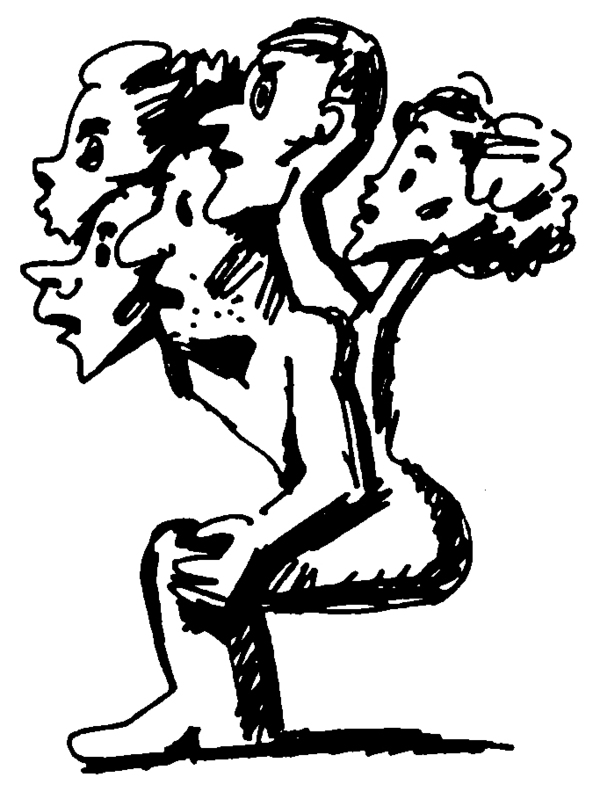
Однажды художник Шабуров взялся составить список самых интересных ему отечественных рисовальщиков, и обнаружил, что без Александра Митты тут никак не обойтись.
Все знают Митту как режиссера фильмов «Гори-гори, моя звезда», «Как царь Пётр арапа женил» и первого в СССР фильма-катастрофы «Экипаж», а после как преподавателя драматургии, сопровождавшего свои лекции и книжки рисунками.
Но то, что эти рисунки имеют самостоятельную ценность, никому в голову не приходило.
Тут надо сказать, что Шабуров сам у Митты учился и не раз видел, как он на доске рисует. Именно поэтому у него и возникла идея сделать выставку Митты-рисовальщика. Выпятить этот его талант из числа прочих.
Однако сначала отвлекло одно, потом другое, затем третье, а потом Митты не стало. Ничего не надо откладывать.
Press space bar to start a drag.
When dragging you can use the arrow keys to move the item around and escape to cancel.
Some screen readers may require you to be in focus mode or to use your pass through key
Press space bar to start a drag.
When dragging you can use the arrow keys to move the item around and escape to cancel.
Some screen readers may require you to be in focus mode or to use your pass through key
Press space bar to start a drag.
When dragging you can use the arrow keys to move the item around and escape to cancel.
Some screen readers may require you to be in focus mode or to use your pass through key
Press space bar to start a drag.
When dragging you can use the arrow keys to move the item around and escape to cancel.
Some screen readers may require you to be in focus mode or to use your pass through key
Press space bar to start a drag.
When dragging you can use the arrow keys to move the item around and escape to cancel.
Some screen readers may require you to be in focus mode or to use your pass through key
Press space bar to start a drag.
When dragging you can use the arrow keys to move the item around and escape to cancel.
Some screen readers may require you to be in focus mode or to use your pass through key
Press space bar to start a drag.
When dragging you can use the arrow keys to move the item around and escape to cancel.
Some screen readers may require you to be in focus mode or to use your pass through key
Press space bar to start a drag.
When dragging you can use the arrow keys to move the item around and escape to cancel.
Some screen readers may require you to be in focus mode or to use your pass through key
Press space bar to start a drag.
When dragging you can use the arrow keys to move the item around and escape to cancel.
Some screen readers may require you to be in focus mode or to use your pass through key
Press space bar to start a drag.
When dragging you can use the arrow keys to move the item around and escape to cancel.
Some screen readers may require you to be in focus mode or to use your pass through key