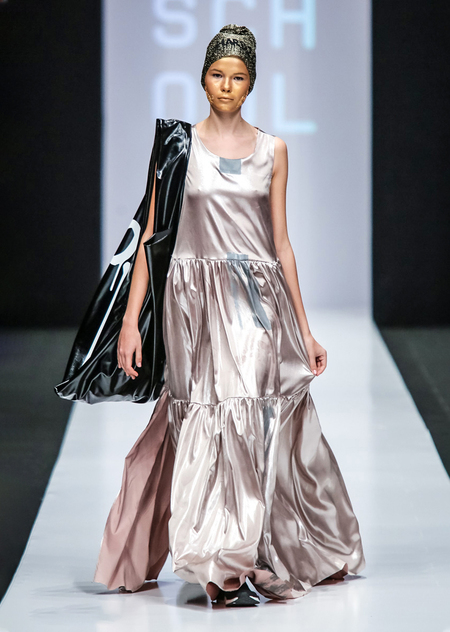
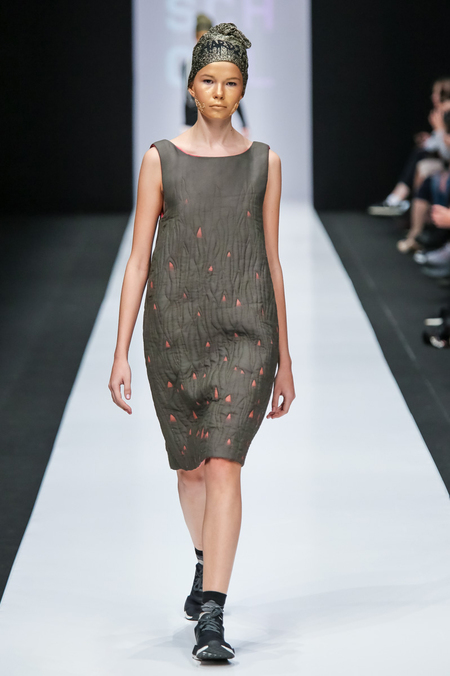
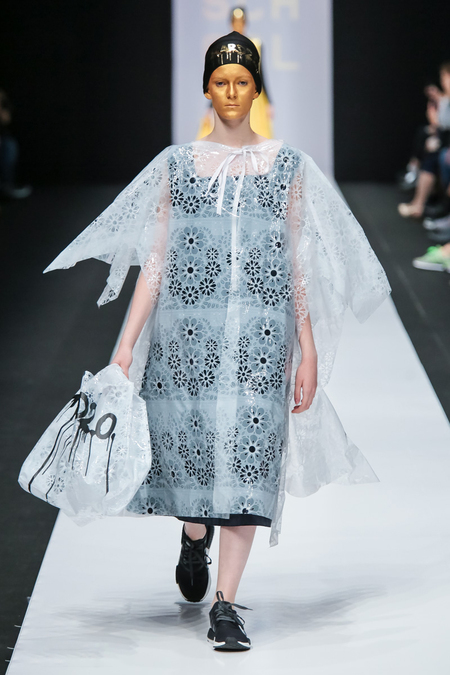
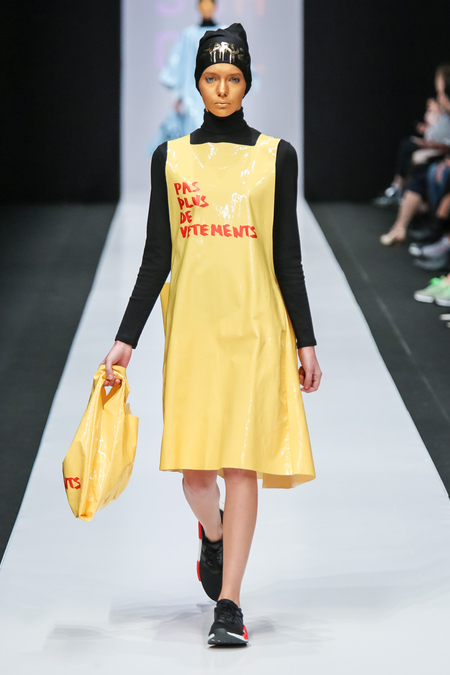
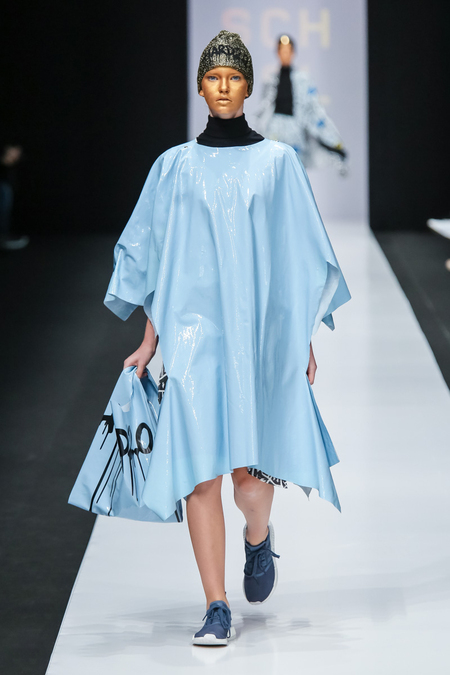
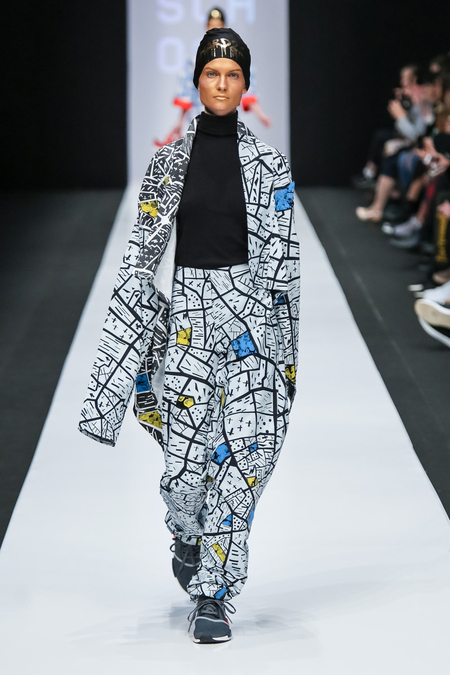
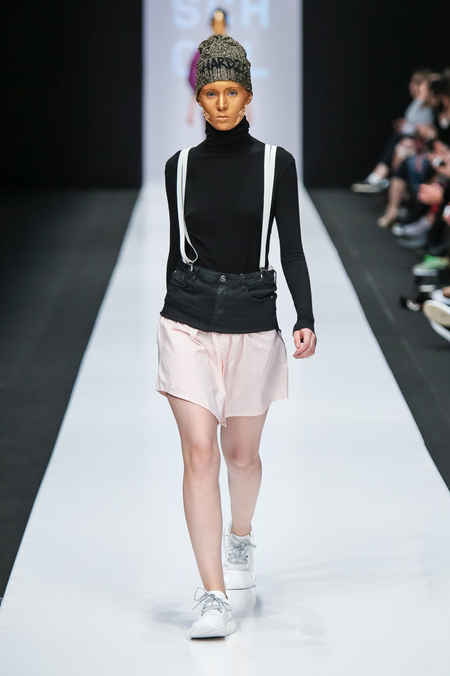
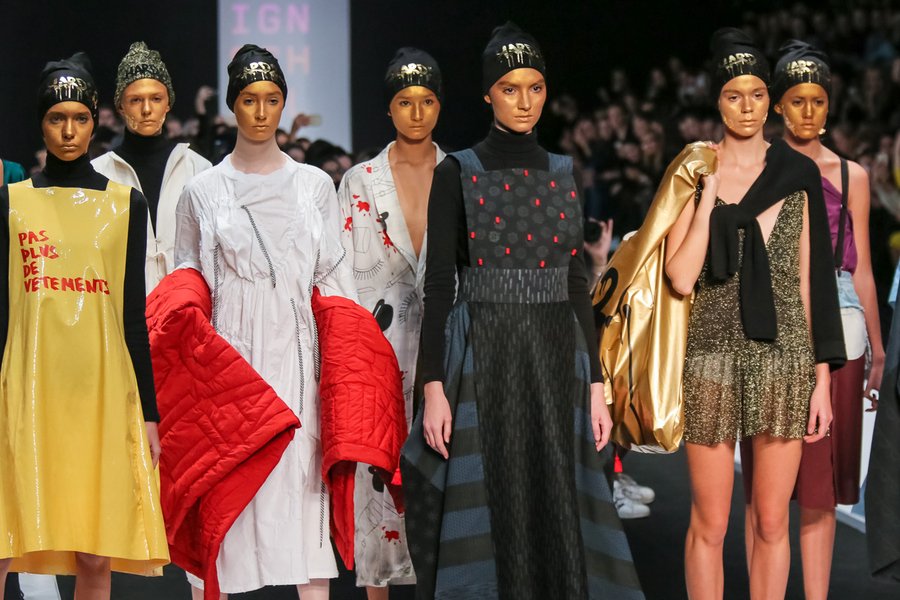
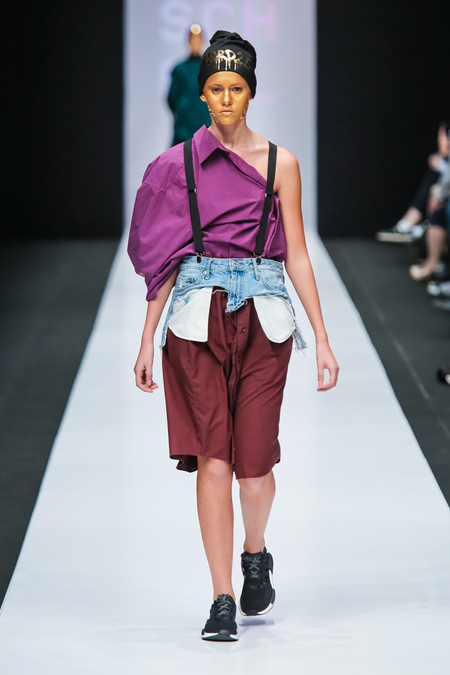
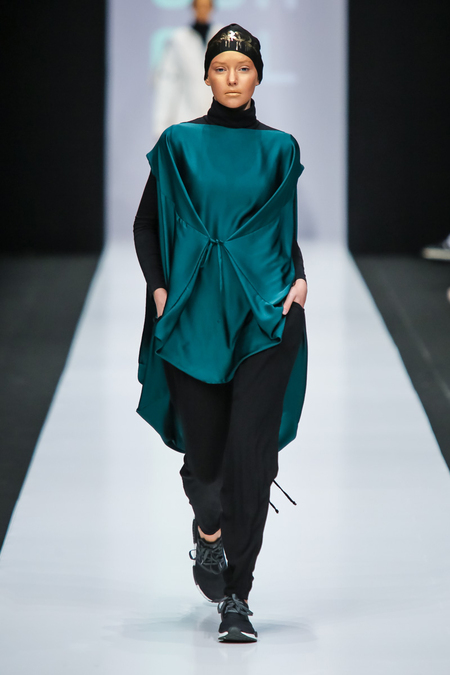
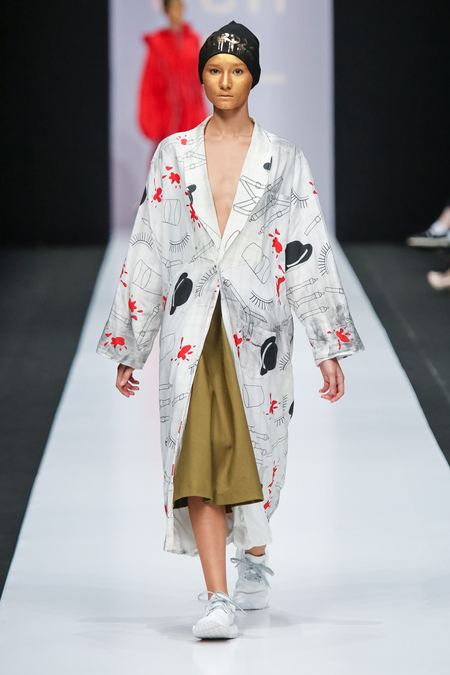
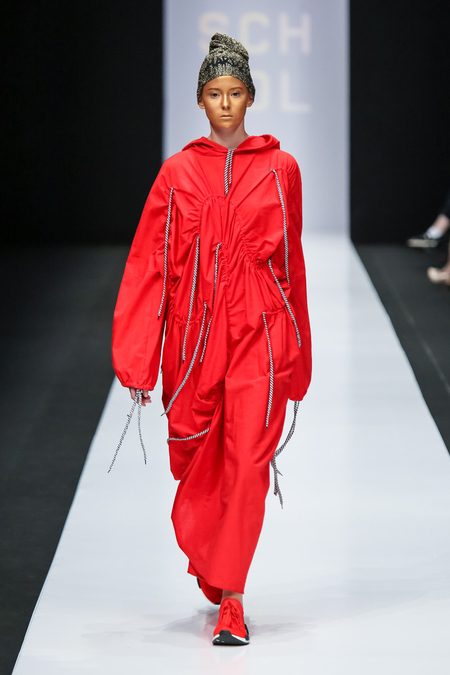
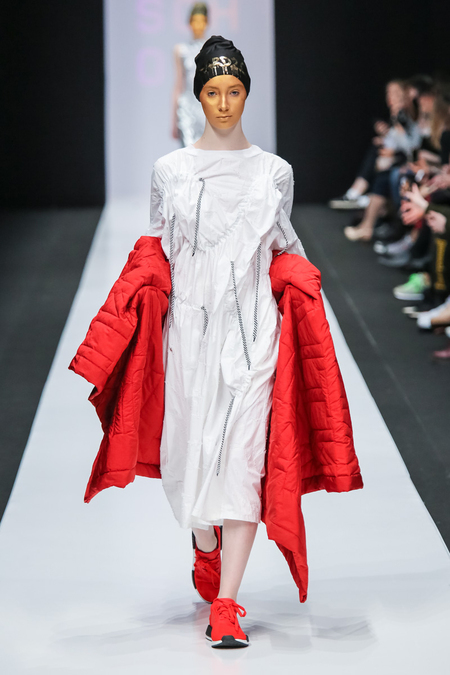
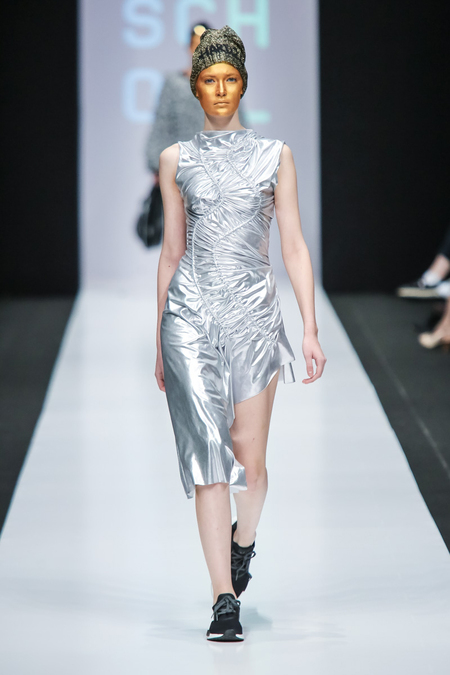
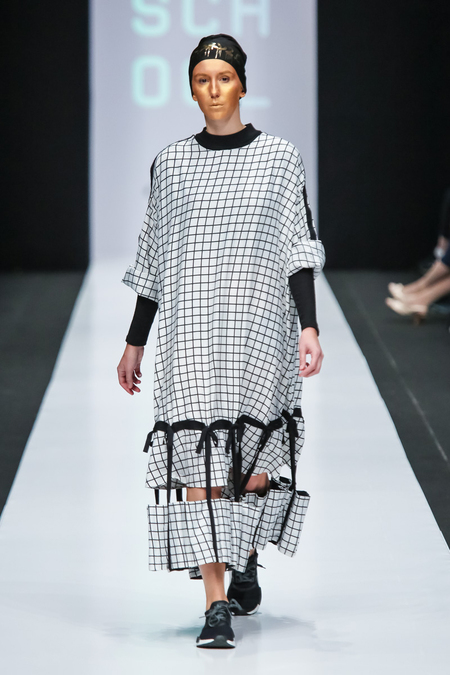
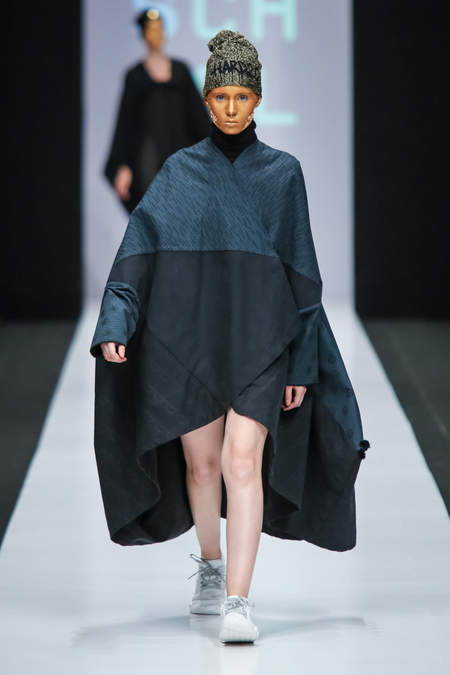
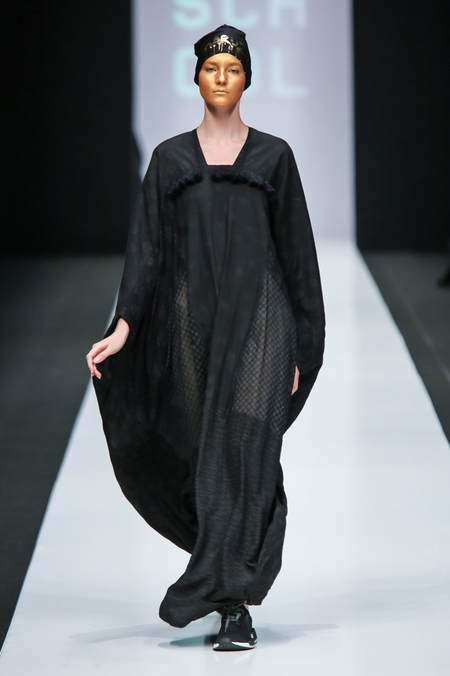
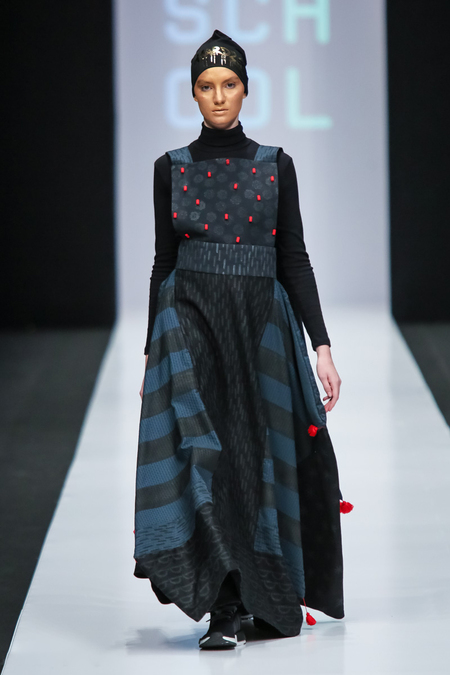
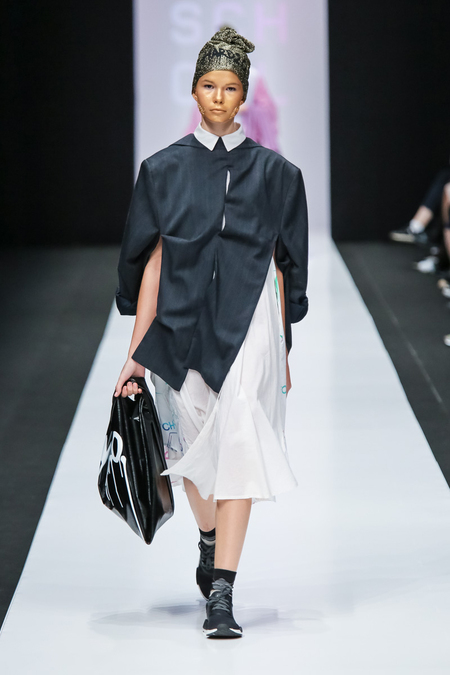
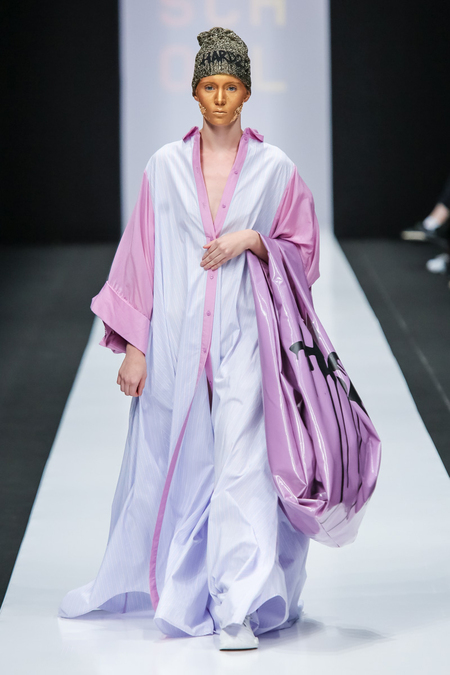
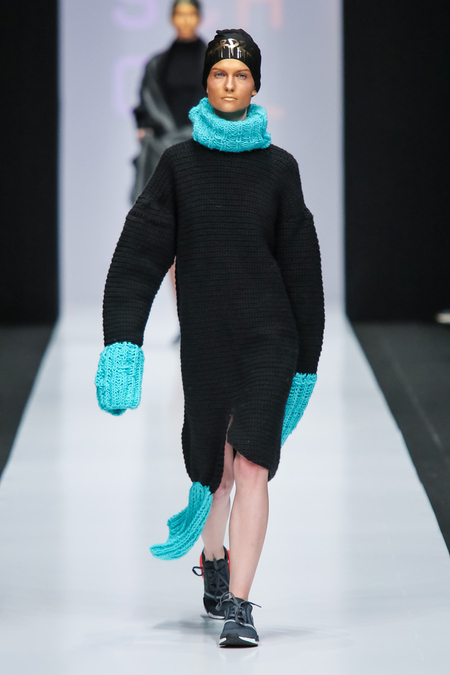
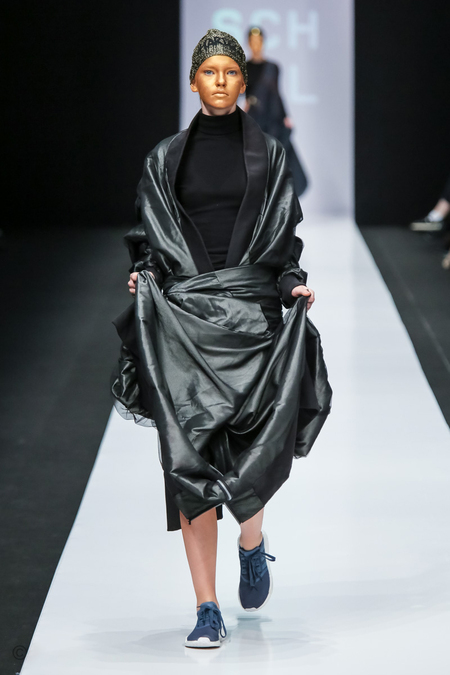
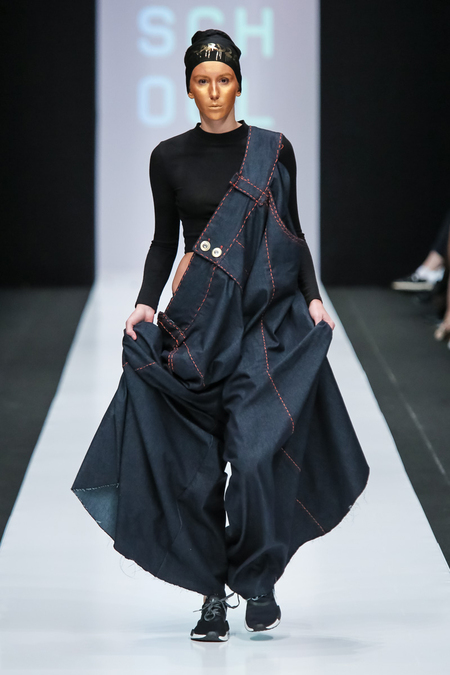
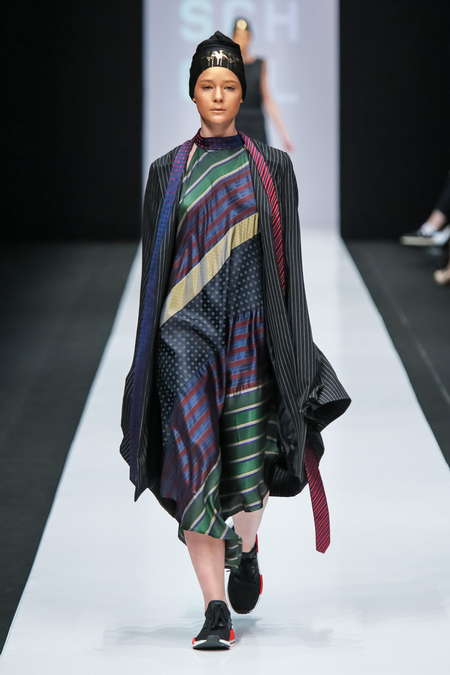
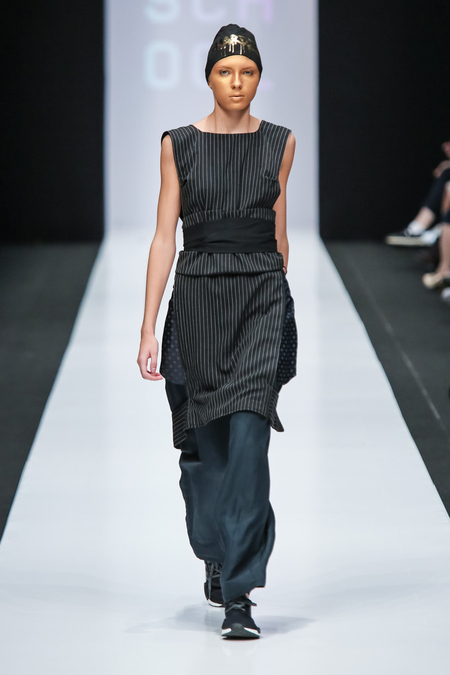
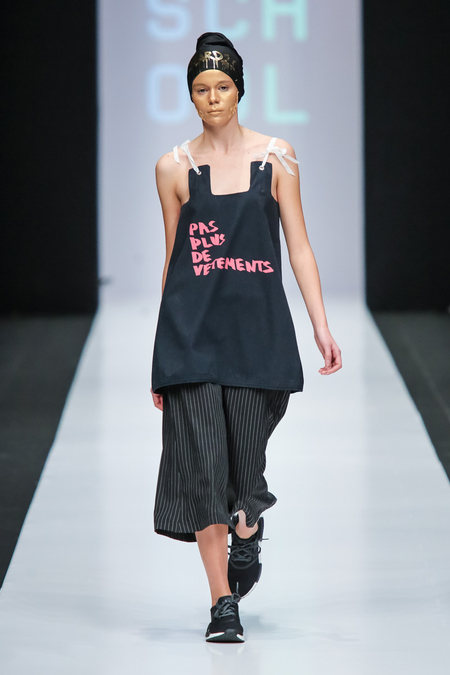
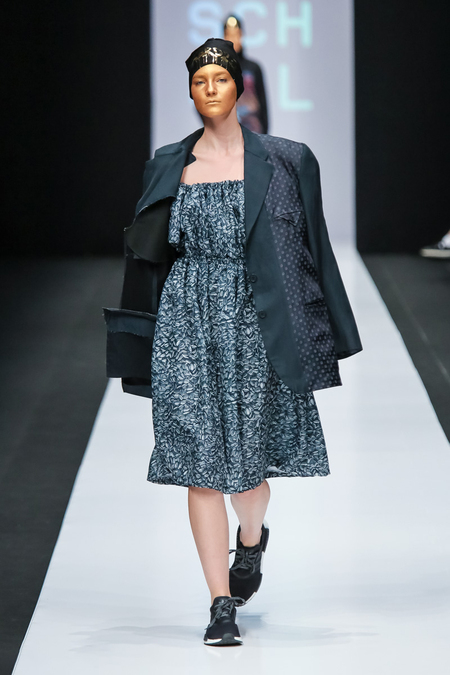
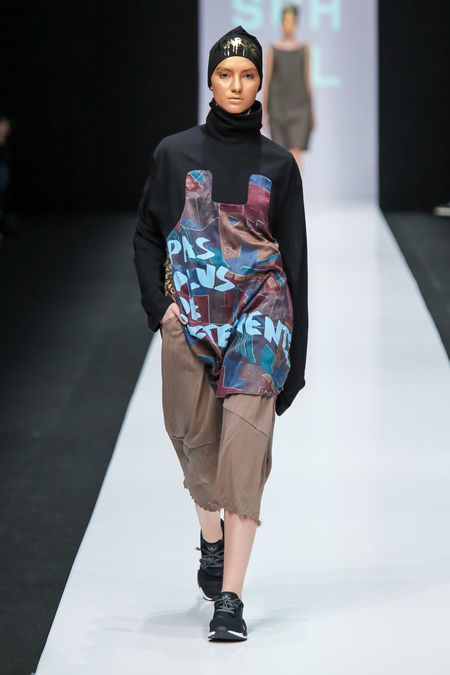
Показы под брендом HARD — уникальная традиция Школы дизайна НИУ ВШЭ: студенты, еще на втором или третьем году обучения, показывают свои работы на профессиональной неделе моды наравне с известными и существующими много лет марками. HARD работает как творческая лаборатория, которая каждый год формируется заново для создания новой коллекции. Первые показы HARD проходили в рамках недели моды Mercedes-Benz Fashion Week Russia.
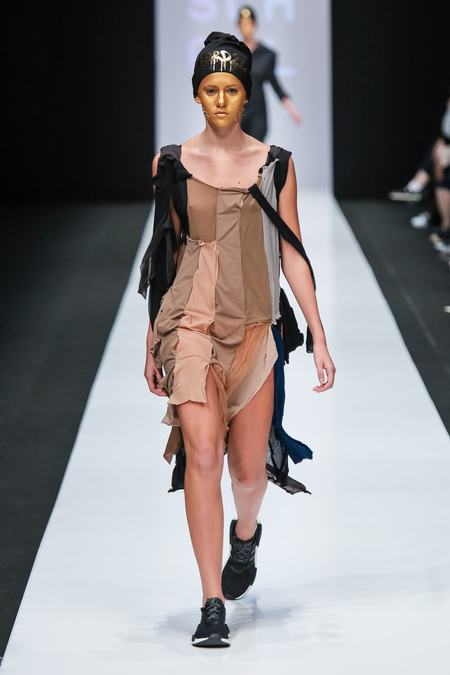
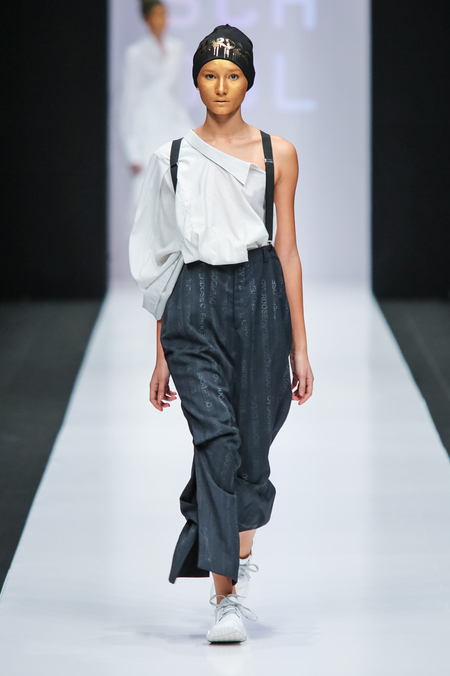
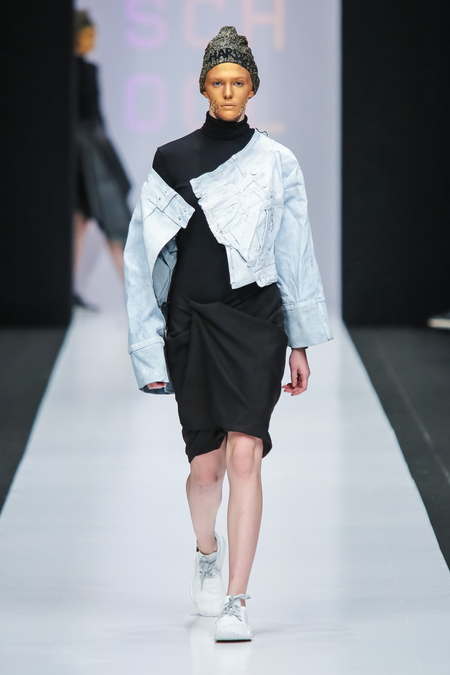
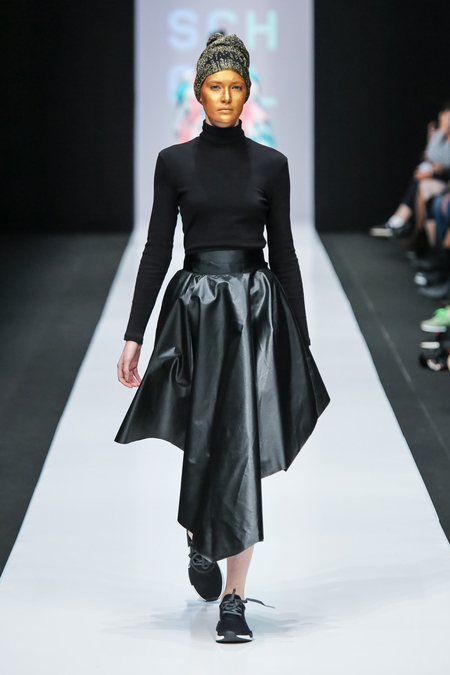
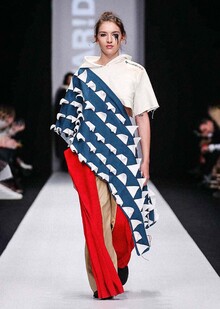
Второй показ коллективного бренда HARD студентов направления «Мода» Школы дизайна НИУ ВШЭ представляет коллекции весна-лето 2017 и посвящен теме «Золотая молодежь». В показе участвовали работы студенток второго курса профиля «Дизайн одежды» Екатерины Ежуковой, Марии Забуслаевой, Татьяны Катаровой, Анны Корнеенковой, Полины Лобановой, Анастасии Морозовой, Натальи Мотиенко, Дианы Раимжановой, Татьяны Сидоровой. Куратор группы — Екатерина Сычева.
Фотограф — Игорь Стражин.
HARD 002: Золотая молодежь. Mercedes-Benz Fashion Week Russia. 8.11.2016
HSE Fashion представил коллекции студентов на Mercedes-Benz Fashion Week Russia 8 ноября 2016 года. Проект включал работы девяти студентов второго курса профиля «Дизайн одежды» под кураторством Екатерины Сычевой.
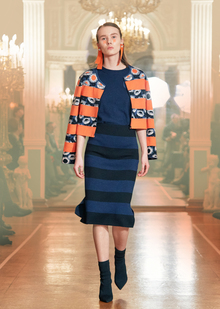
HSE Fashion представила коллекцию HARD 004, созданную студентами Школы дизайна НИУ ВШЭ для Mercedes-Benz Fashion Week Russia 14 марта 2018 года. Проект включал исследования темы «духа юности» через смесь уличной моды, исторических элементов и ироничных деталей в дизайне.
Студенты Школы дизайна НИУ ВШЭ провели показ скандинавских дизайнеров в посольстве Норвегии 15 апреля 2019 года. Показ прошёл в рамках конференции «Мода северных стран: между локальным и глобальным».
Hse Fashion Archive изучил материалы журнала «Птюч» о моде начала 2000-х и описал эволюцию российской модной сцены. Проект включает интервью с дизайнерами, критику индустрии и отчёт о событиях, таких как фестивали и недели моды в Москве и Тбилиси.
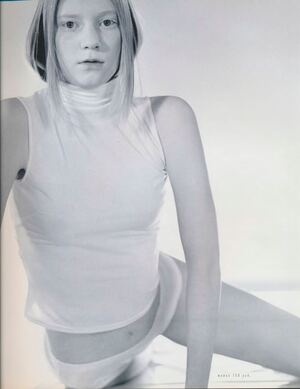
Hse Fashion Archive подготовил обзор рубрики «[LAB]Талант» журнала Jalouse, посвящённой молодым творческим личностям из мира моды и искусства. Проект включал интервью с российскими и зарубежными дизайнерами, музыкантами и другими представителями индустрии, раскрывая их творческие пути и взгляды на будущее.
cgrave
Portfolio CG Rave — это открытая площадка для авторских портфолио 3D художников. Размещайте свои работы, чтобы их заметили в сообществе CG, ваши будущие коллеги и потенциальные заказчики.
portfolio
tutorials
media
Press space bar to start a drag.
When dragging you can use the arrow keys to move the item around and escape to cancel.
Some screen readers may require you to be in focus mode or to use your pass through key
Press space bar to start a drag.
When dragging you can use the arrow keys to move the item around and escape to cancel.
Some screen readers may require you to be in focus mode or to use your pass through key
Press space bar to start a drag.
When dragging you can use the arrow keys to move the item around and escape to cancel.
Some screen readers may require you to be in focus mode or to use your pass through key
Press space bar to start a drag.
When dragging you can use the arrow keys to move the item around and escape to cancel.
Some screen readers may require you to be in focus mode or to use your pass through key
Press space bar to start a drag.
When dragging you can use the arrow keys to move the item around and escape to cancel.
Some screen readers may require you to be in focus mode or to use your pass through key
Press space bar to start a drag.
When dragging you can use the arrow keys to move the item around and escape to cancel.
Some screen readers may require you to be in focus mode or to use your pass through key
Press space bar to start a drag.
When dragging you can use the arrow keys to move the item around and escape to cancel.
Some screen readers may require you to be in focus mode or to use your pass through key
Press space bar to start a drag.
When dragging you can use the arrow keys to move the item around and escape to cancel.
Some screen readers may require you to be in focus mode or to use your pass through key
Press space bar to start a drag.
When dragging you can use the arrow keys to move the item around and escape to cancel.
Some screen readers may require you to be in focus mode or to use your pass through key
Press space bar to start a drag.
When dragging you can use the arrow keys to move the item around and escape to cancel.
Some screen readers may require you to be in focus mode or to use your pass through key
Press space bar to start a drag.
When dragging you can use the arrow keys to move the item around and escape to cancel.
Some screen readers may require you to be in focus mode or to use your pass through key
Press space bar to start a drag.
When dragging you can use the arrow keys to move the item around and escape to cancel.
Some screen readers may require you to be in focus mode or to use your pass through key
Press space bar to start a drag.
When dragging you can use the arrow keys to move the item around and escape to cancel.
Some screen readers may require you to be in focus mode or to use your pass through key
Press space bar to start a drag.
When dragging you can use the arrow keys to move the item around and escape to cancel.
Some screen readers may require you to be in focus mode or to use your pass through key
Press space bar to start a drag.
When dragging you can use the arrow keys to move the item around and escape to cancel.
Some screen readers may require you to be in focus mode or to use your pass through key
Press space bar to start a drag.
When dragging you can use the arrow keys to move the item around and escape to cancel.
Some screen readers may require you to be in focus mode or to use your pass through key
Press space bar to start a drag.
When dragging you can use the arrow keys to move the item around and escape to cancel.
Some screen readers may require you to be in focus mode or to use your pass through key
Press space bar to start a drag.
When dragging you can use the arrow keys to move the item around and escape to cancel.
Some screen readers may require you to be in focus mode or to use your pass through key
Press space bar to start a drag.
When dragging you can use the arrow keys to move the item around and escape to cancel.
Some screen readers may require you to be in focus mode or to use your pass through key
Press space bar to start a drag.
When dragging you can use the arrow keys to move the item around and escape to cancel.
Some screen readers may require you to be in focus mode or to use your pass through key
Press space bar to start a drag.
When dragging you can use the arrow keys to move the item around and escape to cancel.
Some screen readers may require you to be in focus mode or to use your pass through key
Press space bar to start a drag.
When dragging you can use the arrow keys to move the item around and escape to cancel.
Some screen readers may require you to be in focus mode or to use your pass through key