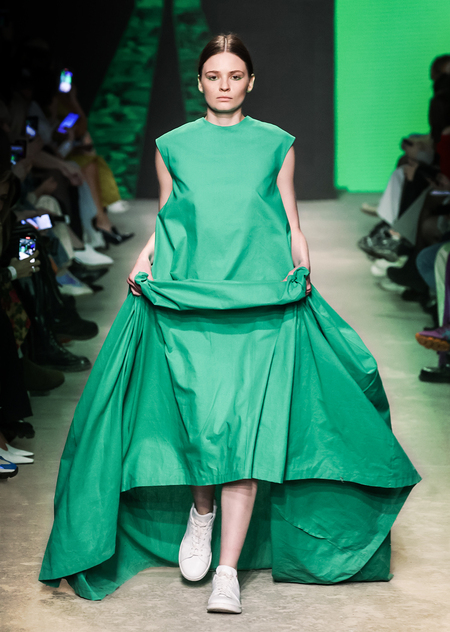
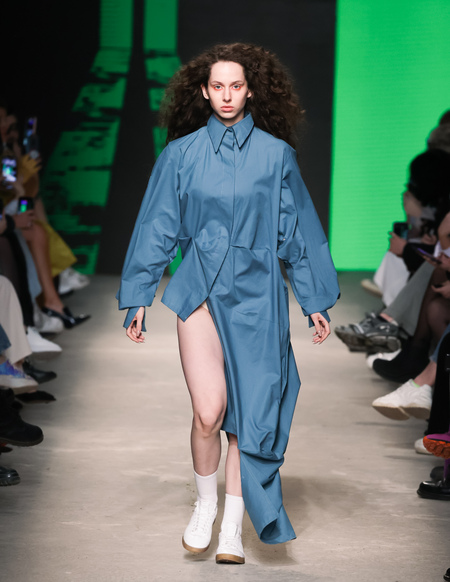
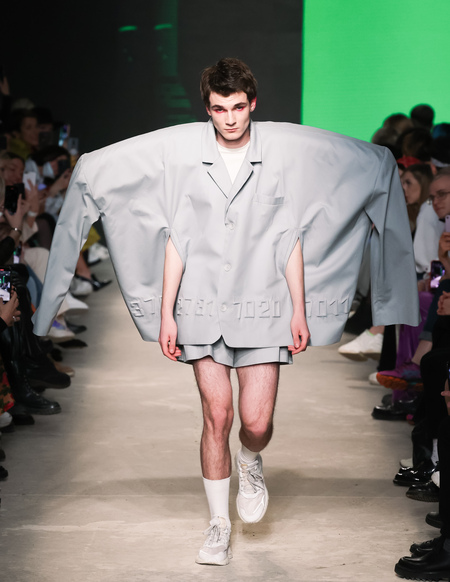
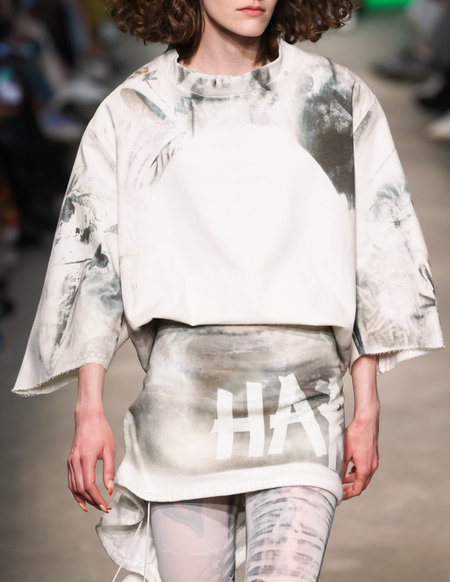
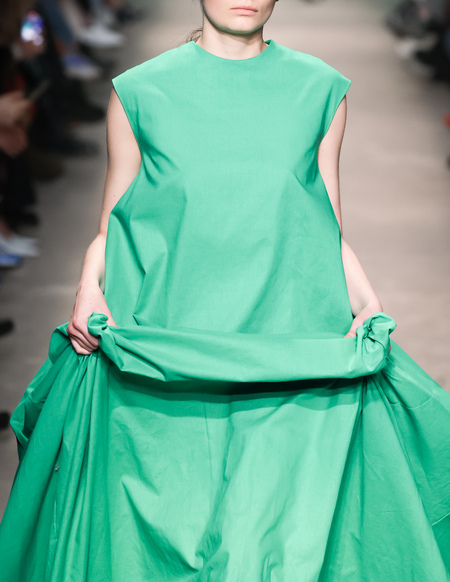
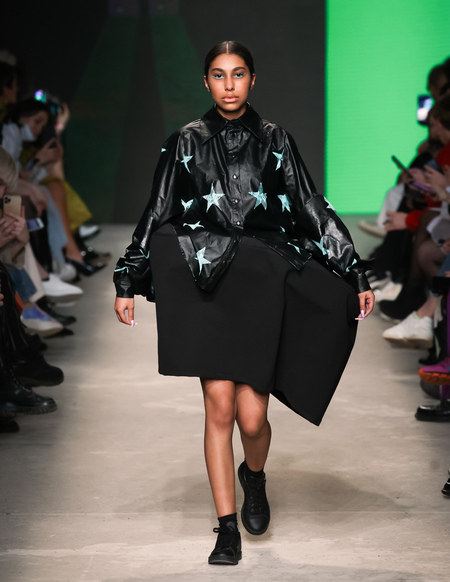
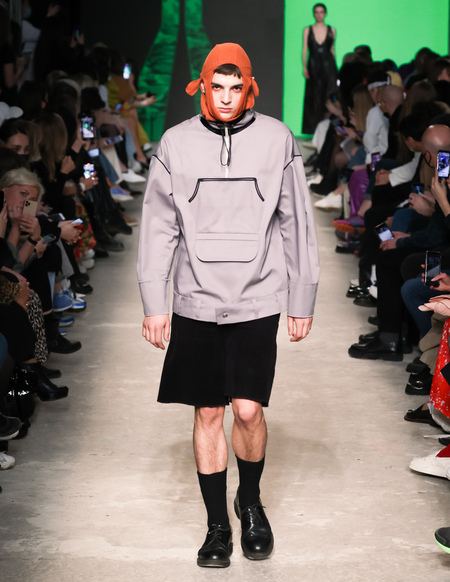
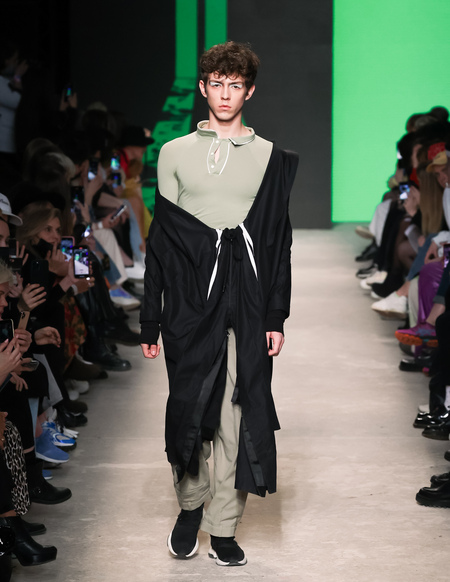
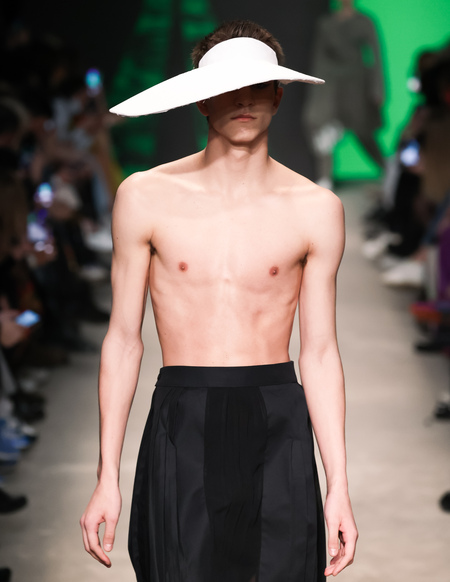
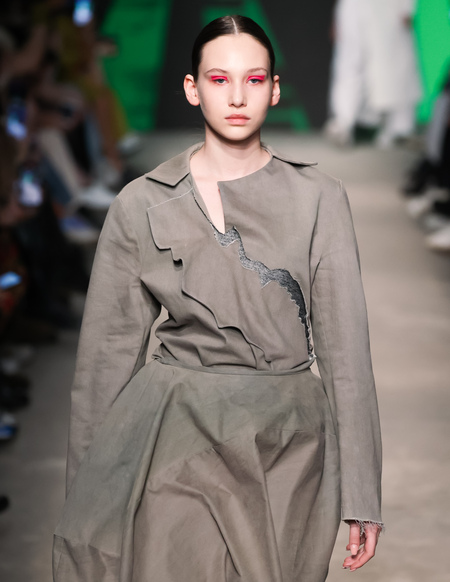
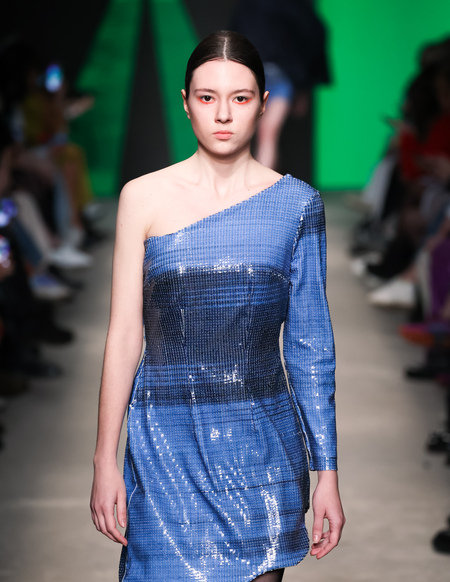
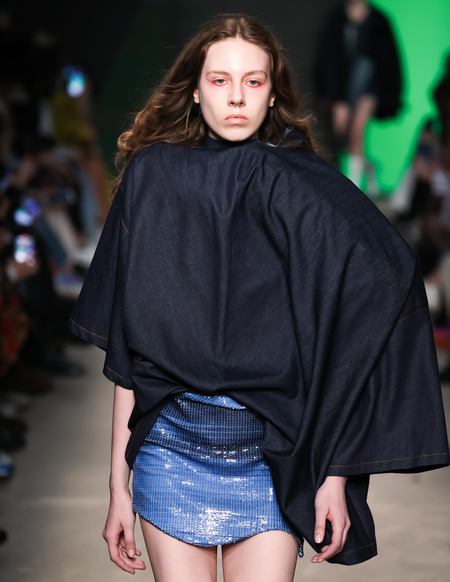
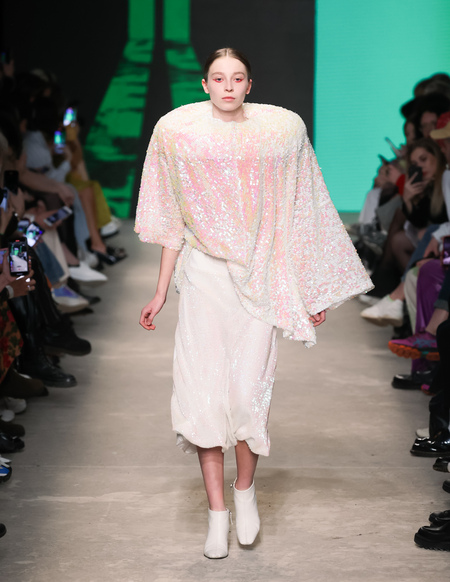
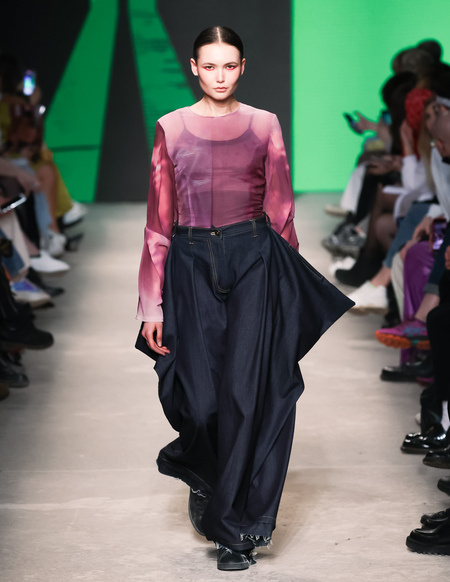
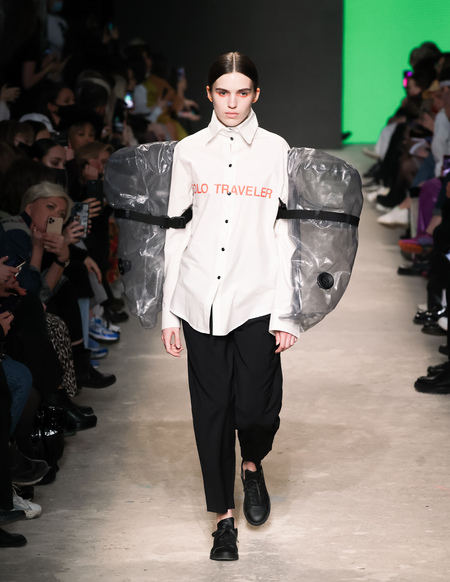
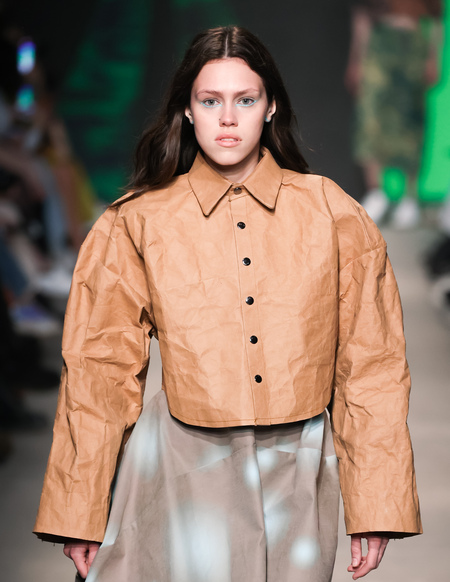
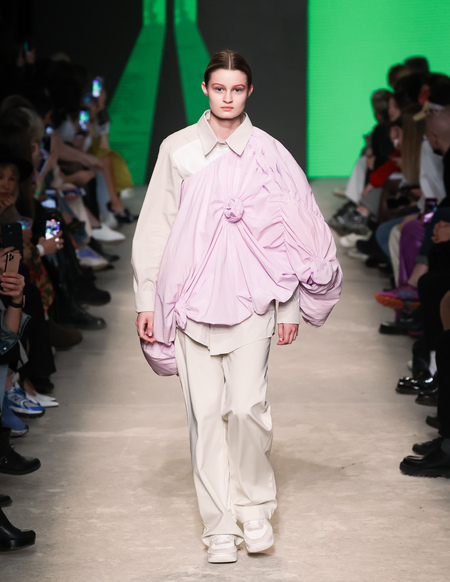
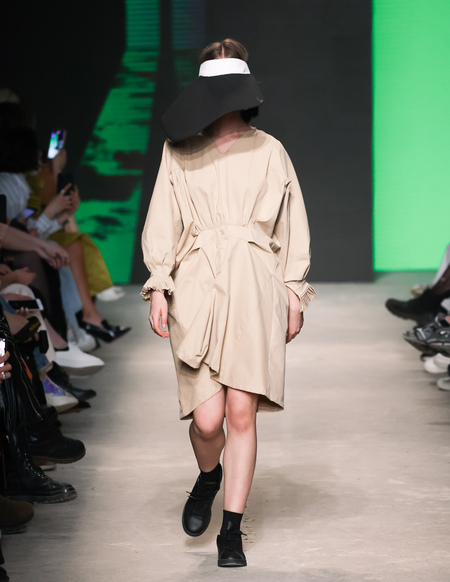
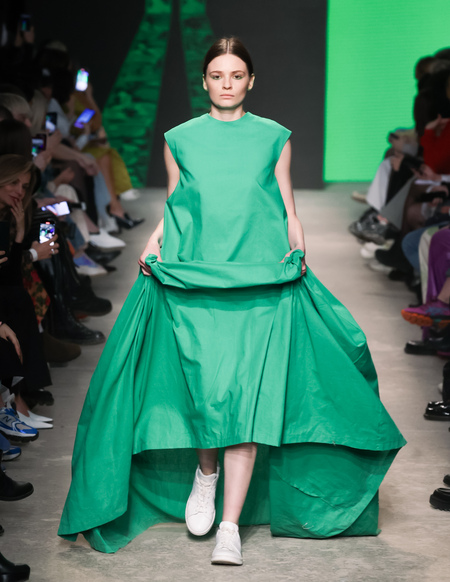
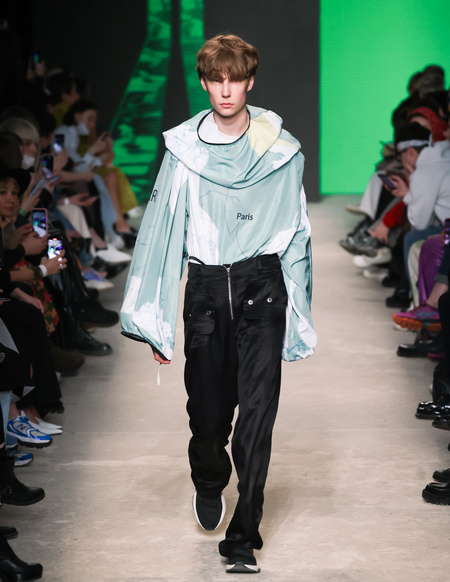
HARD BY HSE ART AND DESIGN SCHOOL — совместный бренд студентов направления «Мода» Школы дизайна НИУ ВШЭ. HARD работает как творческая лаборатория, которая каждый год формируется заново для создания новой коллекции.
Исследуя культурные контексты и экспериментируя с формами и кроем, молодые дизайнеры говорят о том, что их вдохновляет и волнует, показывают свое видение актуальной моды. Итогом является показ участников лаборатории.
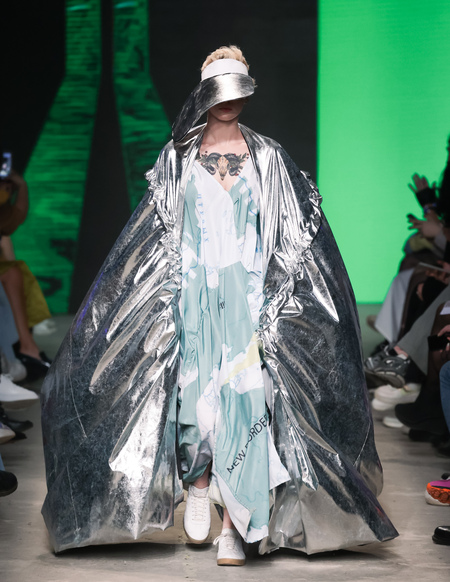
Показ HARD 009: New Borders — это размышления студентов о том, как под влиянием пандемии изменился мир, границы которого одновременно расширялись, создавая все более инклюзивную, обновленную среду, и при этом сужались до размеров четырех стен. «Новые границы» и их диссонанс, переменчивость мира и реакция на нее — ключевые темы коллективного показа HARD 009.
HARD 009: New Borders. Mercedes-Benz Fashion Week Russia. 21.04.2021
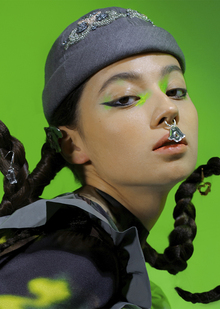
HSE Fashion представила коллекцию HARD 009: New Borders на Mercedes-Benz Fashion Week Russia 21.04.2021. Проект исследовал, как пандемия изменила восприятие границ в моде, сочетая инклюзивность и ограниченность пространства.
Айсылу Галиева исследует, как татарская идентичность проявляется в современной моде через традиционные элементы костюма и их трансформацию. Проект включает анализ коллабораций с брендами, такими как Your Yool, и цифровых проектов, вдохновлённых татарской мифологией и орнаментикой.
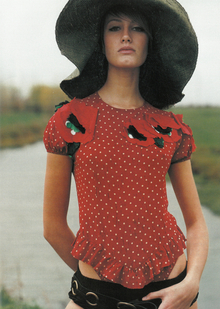
Интервью с Викторией Андреяновой рассказывает о её карьере в моде с начала 1990-х, от работы в Центре моды России до создания собственного бренда. Проект включает в себя архивные материалы, фотографии и тексты, отражающие развитие российской моды и личный путь дизайнера.
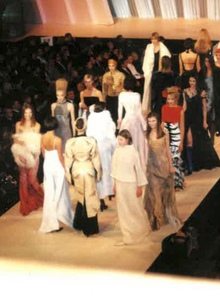
Hse Fashion Archive подготовил анализ упоминаний российских дизайнеров в журнале Vogue с 1998 по 2004 год. Проект включает подборку материалов, интервью, съемок и спецпроектов, отражающих развитие модной индустрии в России в начале 2000-х.
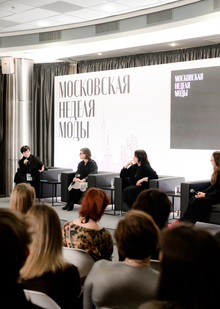
Hse Fashion Archive подготовил паблик-ток на Московской неделе моды, посвящённый вопросам создания архива российской моды и его значению для индустрии. Проект включает интервью с ключевыми фигурами модной сцены и обсуждение сохранения истории моды, включая цифровую архивацию и региональные аспекты.
cgrave
Portfolio CG Rave — это открытая площадка для авторских портфолио 3D художников. Размещайте свои работы, чтобы их заметили в сообществе CG, ваши будущие коллеги и потенциальные заказчики.
Press space bar to start a drag.
When dragging you can use the arrow keys to move the item around and escape to cancel.
Some screen readers may require you to be in focus mode or to use your pass through key
Press space bar to start a drag.
When dragging you can use the arrow keys to move the item around and escape to cancel.
Some screen readers may require you to be in focus mode or to use your pass through key
Press space bar to start a drag.
When dragging you can use the arrow keys to move the item around and escape to cancel.
Some screen readers may require you to be in focus mode or to use your pass through key
Press space bar to start a drag.
When dragging you can use the arrow keys to move the item around and escape to cancel.
Some screen readers may require you to be in focus mode or to use your pass through key
Press space bar to start a drag.
When dragging you can use the arrow keys to move the item around and escape to cancel.
Some screen readers may require you to be in focus mode or to use your pass through key
Press space bar to start a drag.
When dragging you can use the arrow keys to move the item around and escape to cancel.
Some screen readers may require you to be in focus mode or to use your pass through key
Press space bar to start a drag.
When dragging you can use the arrow keys to move the item around and escape to cancel.
Some screen readers may require you to be in focus mode or to use your pass through key
Press space bar to start a drag.
When dragging you can use the arrow keys to move the item around and escape to cancel.
Some screen readers may require you to be in focus mode or to use your pass through key
Press space bar to start a drag.
When dragging you can use the arrow keys to move the item around and escape to cancel.
Some screen readers may require you to be in focus mode or to use your pass through key
Press space bar to start a drag.
When dragging you can use the arrow keys to move the item around and escape to cancel.
Some screen readers may require you to be in focus mode or to use your pass through key
Press space bar to start a drag.
When dragging you can use the arrow keys to move the item around and escape to cancel.
Some screen readers may require you to be in focus mode or to use your pass through key
Press space bar to start a drag.
When dragging you can use the arrow keys to move the item around and escape to cancel.
Some screen readers may require you to be in focus mode or to use your pass through key
Press space bar to start a drag.
When dragging you can use the arrow keys to move the item around and escape to cancel.
Some screen readers may require you to be in focus mode or to use your pass through key
Press space bar to start a drag.
When dragging you can use the arrow keys to move the item around and escape to cancel.
Some screen readers may require you to be in focus mode or to use your pass through key
Press space bar to start a drag.
When dragging you can use the arrow keys to move the item around and escape to cancel.
Some screen readers may require you to be in focus mode or to use your pass through key
Press space bar to start a drag.
When dragging you can use the arrow keys to move the item around and escape to cancel.
Some screen readers may require you to be in focus mode or to use your pass through key
Press space bar to start a drag.
When dragging you can use the arrow keys to move the item around and escape to cancel.
Some screen readers may require you to be in focus mode or to use your pass through key
Press space bar to start a drag.
When dragging you can use the arrow keys to move the item around and escape to cancel.
Some screen readers may require you to be in focus mode or to use your pass through key
Press space bar to start a drag.
When dragging you can use the arrow keys to move the item around and escape to cancel.
Some screen readers may require you to be in focus mode or to use your pass through key
Press space bar to start a drag.
When dragging you can use the arrow keys to move the item around and escape to cancel.
Some screen readers may require you to be in focus mode or to use your pass through key
Press space bar to start a drag.
When dragging you can use the arrow keys to move the item around and escape to cancel.
Some screen readers may require you to be in focus mode or to use your pass through key
Press space bar to start a drag.
When dragging you can use the arrow keys to move the item around and escape to cancel.
Some screen readers may require you to be in focus mode or to use your pass through key
Press space bar to start a drag.
When dragging you can use the arrow keys to move the item around and escape to cancel.
Some screen readers may require you to be in focus mode or to use your pass through key
Press space bar to start a drag.
When dragging you can use the arrow keys to move the item around and escape to cancel.
Some screen readers may require you to be in focus mode or to use your pass through key